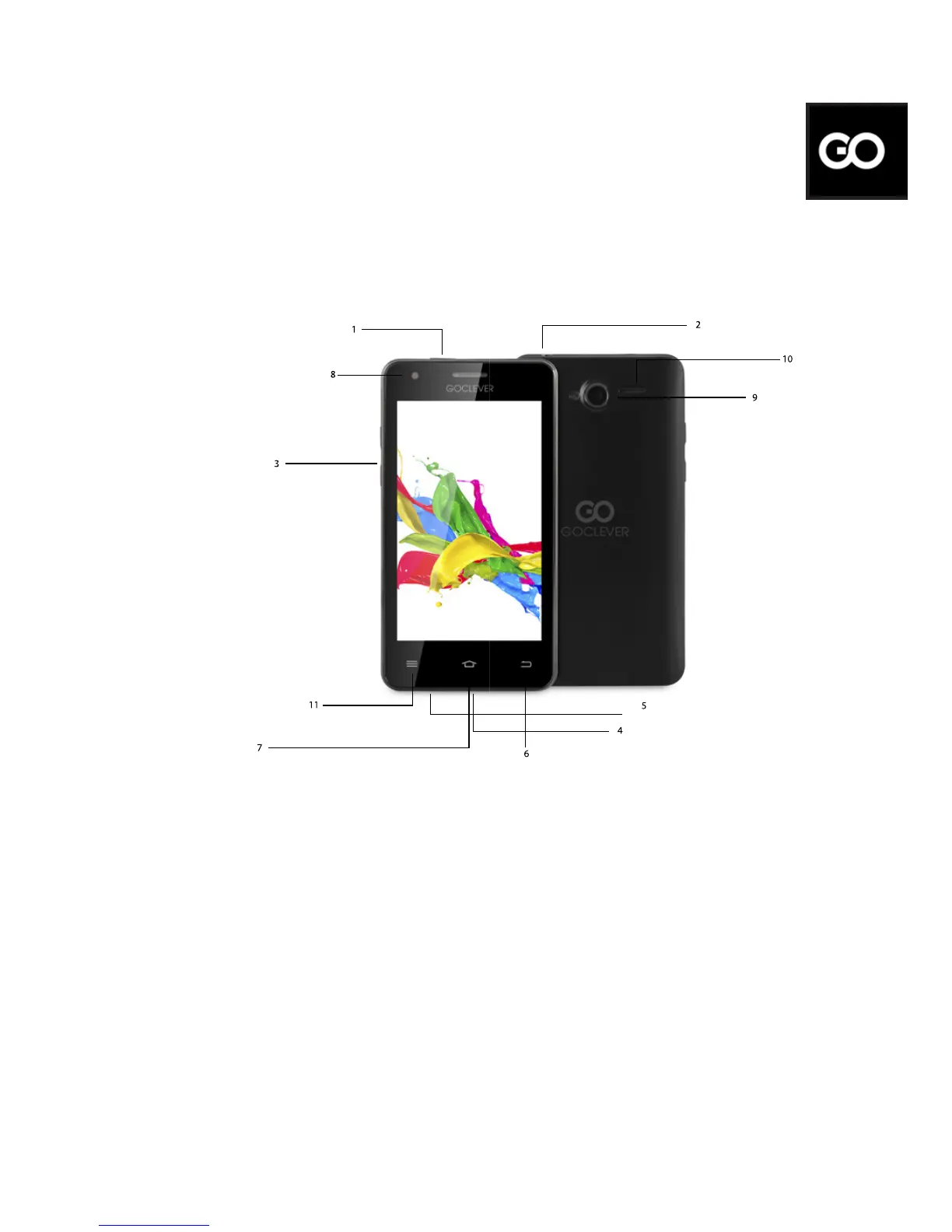
Device Overview
1.Power key: power Your phone on and o. Suspend and activate it.
2.Headset and microphone jack: plug in headphones or a microphone.
3.Volume keys: adjust the volume of the device.
4.Micro USB port: connect optional accessories and a charger.
5.Microphone: allows other callers to hear when You are speaking to
them.
6.Back key: step backwards when navigating a menu or a web page.
7.Menu key: access submenus with additional options.
8.Front facing camera: take pictures and shoot videos with the front
camera.
9.Rear facing camera: take pictures and shoot videos with the rear
camera.
10.External speaker: allows You to hear the caller.
11.Settings.
Package contents
1. GOCLEVER QUANTUM 400
2. AC Adapter
3. Earphones
4. USB Cable
5. Quick Start Guide
6. Battery
Quick Start Guide - GB
2



 To Next Page