Need help?
Do you have a question about the Godox SZ150R and is the answer not in the manual?
Explains the menu interface options for settings like CH, GR, ID, DMX, Fan, and Bluetooth.
Describes the FX interface for selecting and displaying 37 special effects modes.
Details the HSI interface for adjusting Hue, Saturation, and Brightness.
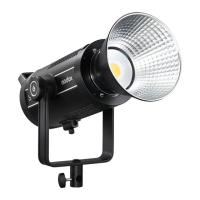
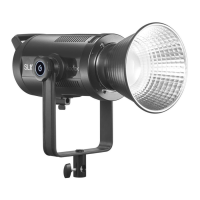
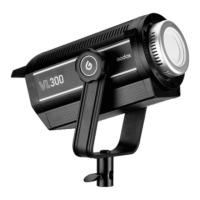
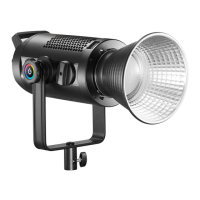
This document describes the Godox Zoom RGB LED Video Light SZ150R, a versatile continuous light designed for various photography and videography scenarios.
The SZ150R is a multi-functional RGB continuous light, suitable for a wide range of applications including live streaming, self-portraits, still life photography, makeup lighting, video recording, wedding photography, children's photography, and creative shooting. Its multiple remote control options make it convenient to operate and widely applicable.
The SZ150R offers a flexible lighting experience with its ability to switch between LED bicolor mode, colorful light mode, and 37 situational special effects modes. Users can freely adjust color temperature, light brightness, hue, and color saturation to achieve desired lighting effects.
For enhanced control, the light supports multiple remote control methods including a smartphone APP, 2.4G wireless control, and DMX console intelligent remote control, allowing for multi-light linkage. This ensures seamless integration into professional lighting setups.
One of its notable features is the silent mode, which operates with zero noise and no interference, making it ideal for environments where audio quality is critical. Conversely, for situations requiring intense illumination, the strong light mode delivers maximum power output.
The light also boasts a manual zooming function, allowing users to adjust the beam angle from 20° to 65°, providing flexibility in light spread and focus. Parameters are clearly displayed on a colored screen, ensuring easy understanding and operation. An excellent heat dissipation system is integrated to maintain optimal performance and longevity.
To power the SZ150R, connect it to a power source using the provided adapter and power cable. Then, simply press the power switch to turn on the LED light.
The device offers a comprehensive menu system for configuration. By pressing the MENU button, the LED light enters the menu interface. Here, users can set the CH channel (1 to 32), GR group (A/B/C/D/E/F, 0-9), ID (OFF/01 to 99), DMX function (OFF/001 to 512), Fan (OFF/ON), and Bluetooth settings.
Pressing the FX button transitions the LED light into the FX interface, where 37 different special effects can be configured. These effects are categorized into 13 types, allowing users to select based on their specific needs. In FX mode, rotate the FN select dial to choose from the 13 categories of special effect modes. The modes will cycle as the dial is turned. Once a mode is chosen, press the FN multifunctional select dial to cycle through its sub-modes (I, II, and III). The DIM select dial can then be used to adjust brightness from 0% to 100%, with the value precisely shown on the LCD panel.
Pressing the HSI button directs the LED light to the HSI interface.
Pressing the CCT button brings the LED light to the color temperature setting interface.
The beam angle can be manually adjusted from 20° to 65° by rotating the zooming knob, providing control over the light spread.
The SZ150R supports firmware upgrades via a USB port.
To activate silent mode, press the Menu button to enter the MENU interface. Rotate the FN select dial to choose the fan icon. Then, turn the DIM select dial to select ON to boot the fan. When OFF is selected, the fan icon will be displayed, and the fan will be turned off to achieve silent operation.
In the MENU interface, select the DMX options to set DMX channels (OFF/001~512). Connect the LED light to a DMX control panel via the RJ45 port. By setting both to the same channel, the SZ150R can be controlled by the DMX panel.
The SZ150R LED video light features 2.4G wireless remote grouping and control. It is recommended to purchase the optional RC-R9 remote control for wireless operation. This system supports up to 16 groups of LED lights, 32 channels, and 99 IDs, ensuring strong anti-interference capability. Note: Ensure the LED light's channel, group, and ID match those of the remote control. Wireless signals can only be received when the LED light is powered on.
To ensure optimal performance and longevity, regular maintenance is recommended.
 General
| Bulb type | LED |
|---|---|
| Illuminance | 26000 lx |
| Light color | Variable |
| Total power | 150 W |
| Bulb lifetime | - h |
| Number of bulbs | 1 bulb(s) |
| Beam angle (max) | 65 ° |
| Fitting/cap type | - |
| Color temperature (max) | 6500 K |
| Color temperature (min) | 2800 K |
| Color Rendering Index (CRI) | 97 |
| Adjustable color temperature | Yes |
| Product color | Black |
| AC input voltage | 230 V |
| AC input frequency | 50 - 60 Hz |
| Quantity | 1 |
| Cables included | AV |
 Weight and Dimensions
| Depth | 200 mm |
|---|---|
| Width | 160 mm |
| Weight | 2650 g |
| Height (min) | 330 mm |

 To Next Page