EasyManua.ls Logo

Godrej SeeThru - User Manual

Godrej SeeThru
22 pages
Print Icon
To Next Page IconTo Next Page
Loading...
User Manual
Godrej & Boyce Mfg. Co. Ltd.
Godrej Security Solutions
Regd. Office: Plant No.17, Pirojshanagar, Vikhroli, Mumbai - 400 079
Tel.: 022-67961700/1800 | Fax: 91-22-67961509
Toll-free: 1800 209 9955 | SMS <GSS> to 53636
Email:secure@godrej.com | Visit: www.godrejsecure.com
In view of the Godrej Policy of continuous development and improvement, the
dimensions as seen on the catalogue of the product may not match with the actual
product. The colour combinations of the products as seen on this catalogue may
vary and not match with the actual colour of the product due to printing limitations.
An ISO 9001:2008 & ISO 14001:2004. BS OHSAS 18001:2007
Products Marketed and Serviced By Godrej & Boyce Mfg. Co. Ltd.
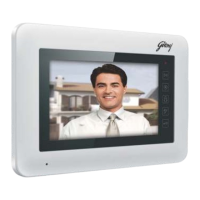
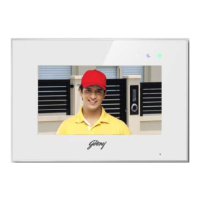
7'' TOUCH SCREEN
VIDEO DOOR PHONE
Question and Answer IconNeed help?

Do you have a question about the Godrej SeeThru and is the answer not in the manual?

Summary

Safety Warnings

General Warnings

Instructions to prevent danger or property losses, including death or serious injuries.

Product Part Identification

Front Part Overview

Details and identification of components on the front of the device.

Rear Part Overview

Identification of components and their descriptions on the rear of the device.

Product Features and Functions

Key Features

Lists primary features like screen size, memory, connectivity, and special functions.

Installation Procedures

Optimal Installation Location

Guidance on the recommended height and placement for monitor installation.

Wiring and Monitor Mounting

Step-by-step instructions for connecting wires and physically mounting the monitor.

Operating the System

Main Screen Interface

Overview of the main screen icons and their corresponding functions for system navigation.

System Settings and Configuration

Camera Settings

Configuration options for motion detection, default cameras, and detection timing.

Product Specifications

Summary

Safety Warnings

General Warnings

Instructions to prevent danger or property losses, including death or serious injuries.

Product Part Identification

Front Part Overview

Details and identification of components on the front of the device.

Rear Part Overview

Identification of components and their descriptions on the rear of the device.

Product Features and Functions

Key Features

Lists primary features like screen size, memory, connectivity, and special functions.

Installation Procedures

Optimal Installation Location

Guidance on the recommended height and placement for monitor installation.

Wiring and Monitor Mounting

Step-by-step instructions for connecting wires and physically mounting the monitor.

Operating the System

Main Screen Interface

Overview of the main screen icons and their corresponding functions for system navigation.

System Settings and Configuration

Camera Settings

Configuration options for motion detection, default cameras, and detection timing.

Product Specifications

Godrej SeeThru Specifications

General IconGeneral
CameraYes
ConnectivityWired
Door ReleaseYes
TypeVideo Door Phone
DisplayLCD
Power SupplyDC
InstallationWall-mounted
Night VisionIR LED

Related product manuals