13
Controlling the Source Device
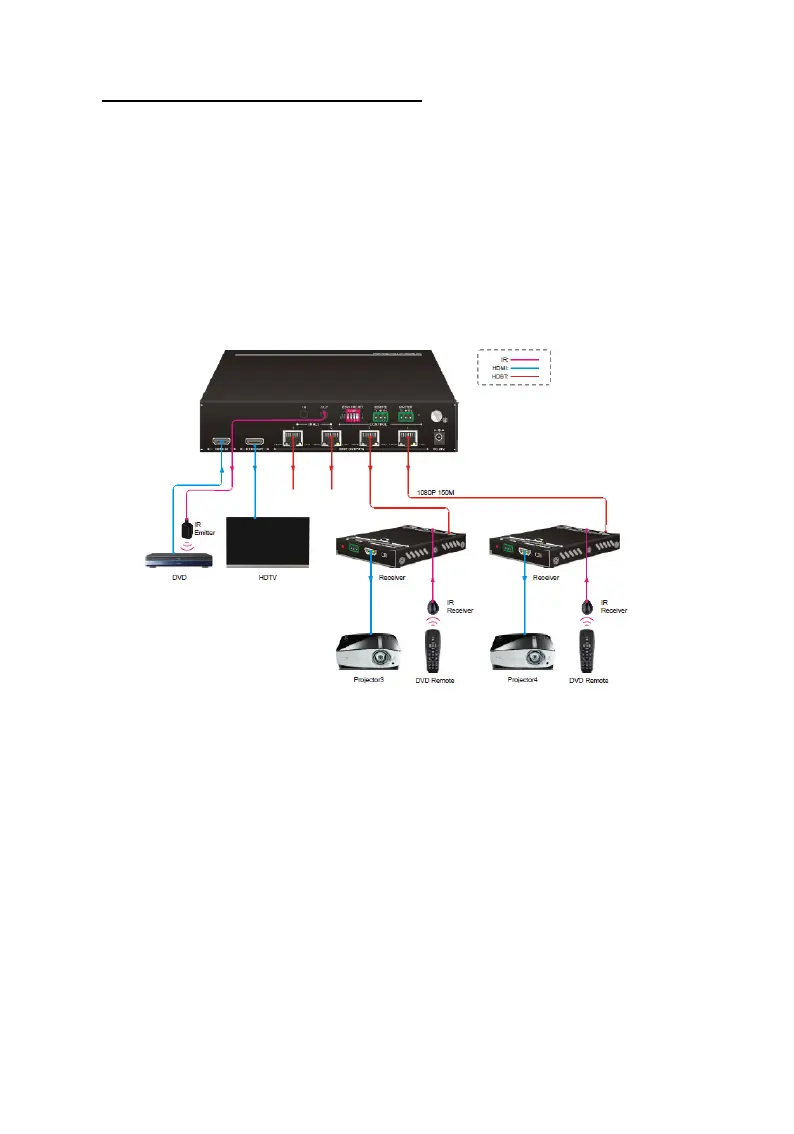
1. Connect an IR Blaster Extension Cable to the IR Out
port of the HDBaseT Splitter.
2. Point the IR Blaster Extension Cable's IR eye in line
with the IR receiver on the source device.
3. Connect an IR Receiver Extension Cable to the IR In
port on each HDBaseT Receiver.
Figure 5: Source Device IR Control Connection Diagram



 To Next Page