14
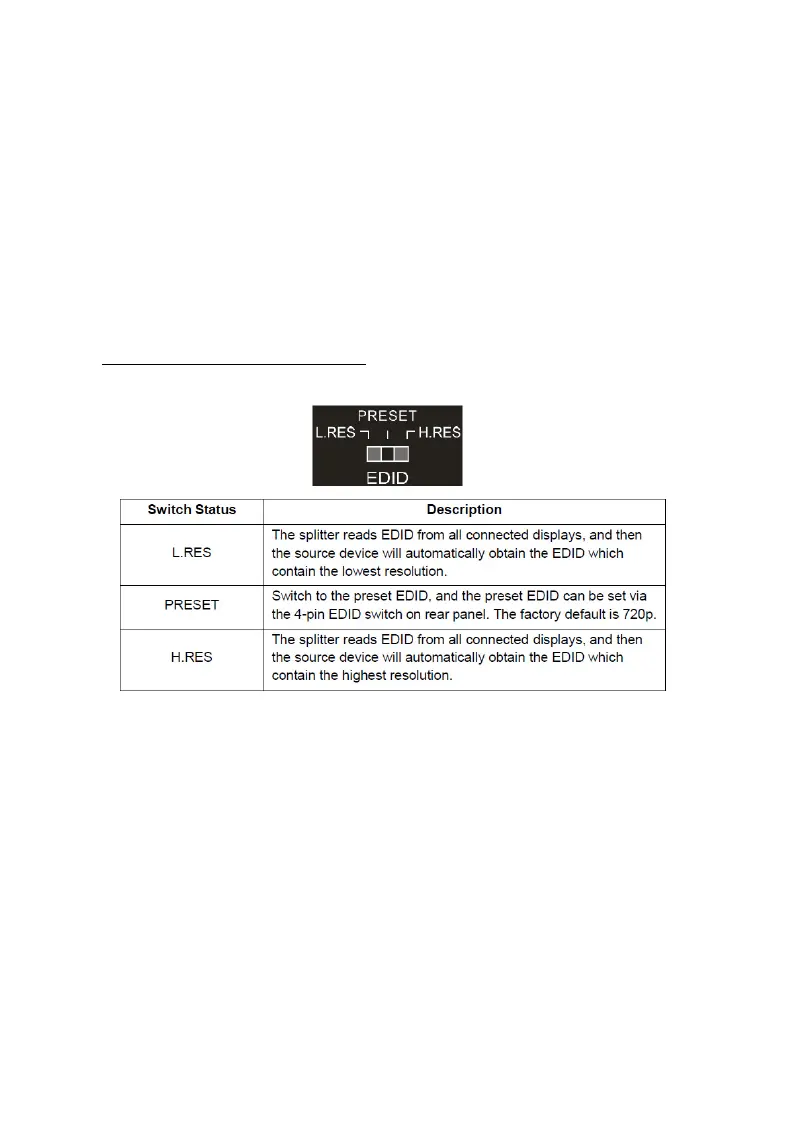
EDID Management
EDID is used by the source device to match the video
resolution to the connected display(s). The source device
obtains its EDID from the 1st connected display as default
setting. However, since displays with different capabilities
are often connected to the splitter, the EDID DIP switch
can be used to set the EDID to a fixed value to offer the
best compatiblity accross all connected displays.
Front Panel EDID Switch



 To Next Page