4
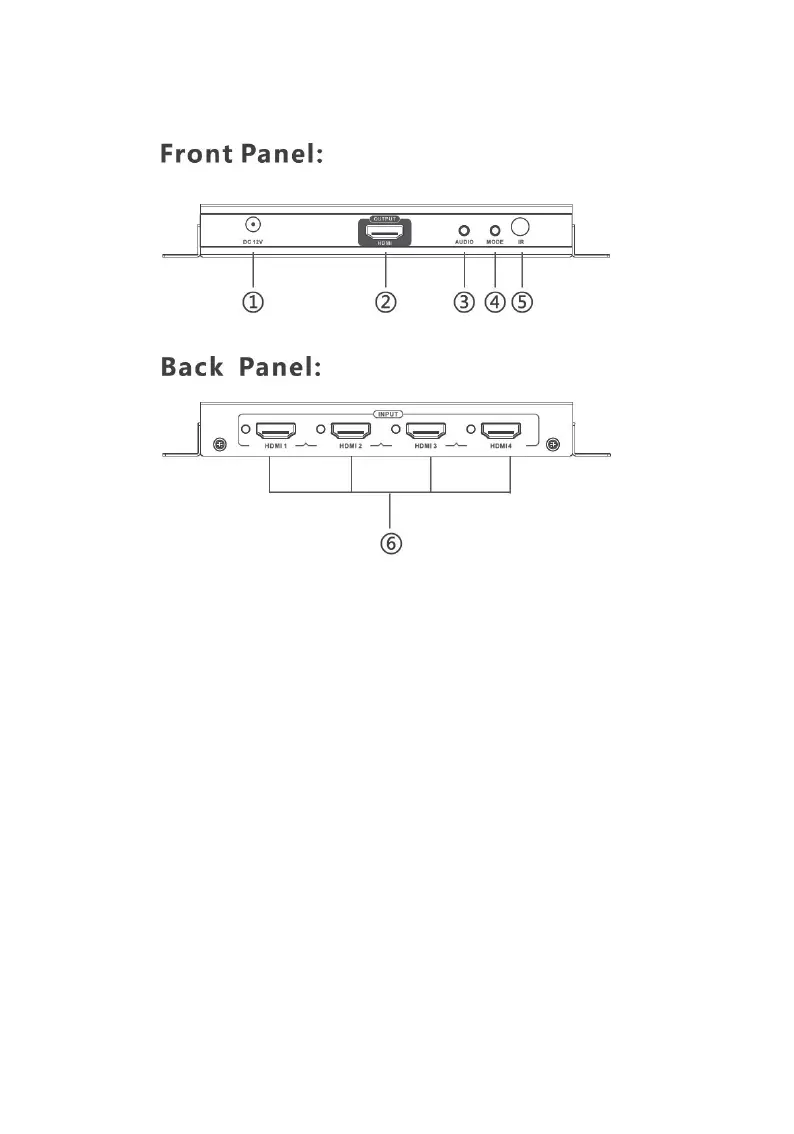
Product Layout
Figure 1: 4K Multi-Viewer Layout
1. Power Jack: Connect to the included power adapter
2. HDMI Out: Connect to your HDMI display using
an HDMI cable (HDMI cable not included)
3. Audio Button: Press to select the audio mode in
order: Input 1, Input 2, Input 3, Input 4, Mute
4. Mode Button: Press to select the video output
mode. See Video Mode Button page 6 for more
information
5. IR Window: Receives IR signals from the included
remote control
6. HDMI Inputs (1-4): Connect to your HDMI sources
using HDMI cables (HDMI cables not included)



 To Next Page