5
Hardware Installation
1. Power off all devices including your HDMI source(s)
and HDMI display.
2. Connect your HDMI source device(s) to the HDMI
In connectors with HDMI cables (HDMI cables not
included).
3. Connect your HDMI display to the HDMI Out
connector with an HDMI cable (HDMI cable not
included).
4. Plug the included power adapter into the Multi-
Viewer's power jack, then plug the power adapter
into a reliable power outlet.
5. Power on all devices.
6. The Multi-Viewer is ready for use.
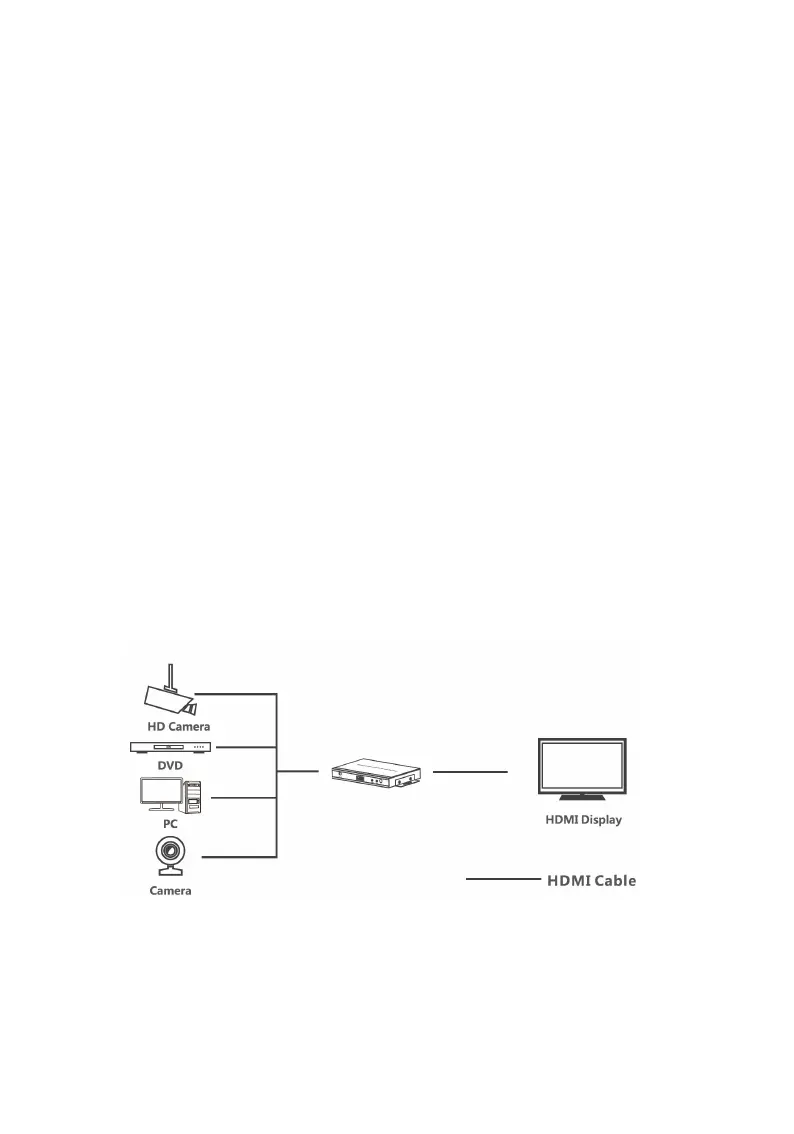
Connection Diagram
The diagram shows the typical devices used with the
Multi-Viewer.
Figure 2: Connection Diagram



 To Next Page