Need help?
Do you have a question about the GOgroove FLEXSMART X2 and is the answer not in the manual?
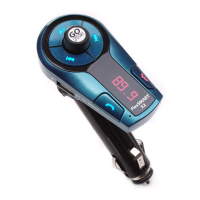
Diagram illustrating the physical components and connections of the FLEXSMART X2 device.
Connecting the FLEXSMART X2 to car speakers via AUX for direct audio playback.
Details on answering, ending, rejecting calls, and redialing the last number.
 General
| Brand | GOgroove |
|---|---|
| Model | FLEXSMART X2 |
| Category | Automobile Accessories |
| Bluetooth Profile | A2DP, AVRCP, HFP |
| USB Charging Port | Yes |
| Microphone | Built-in |
| Audio Output | Stereo |
| Hands-Free Calling | Yes |
| Range | Up to 33 feet |
| Input | 3.5mm AUX |
| Connectivity | Bluetooth, 3.5mm AUX |
| Compatibility | Bluetooth enabled devices |
| Additional Features | Digital display |
| Power | 12V DC |

 To Next Page