
 Need help?
Do you have a question about the Goji G6P5BK21 and is the answer not in the manual?
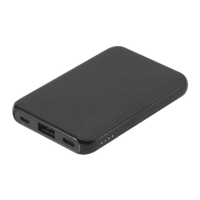
Identifies and describes the ON/OFF button, USB ports, and LED indicators on the device.
Explains how to check the remaining battery level using the ON/OFF button and indicators.
Details how the LED indicators behave while charging the powerbank.
Describes how to start charging external devices using the powerbank.
Details battery type, capacity, and input/output specifications for ports.
Covers charging time, device dimensions, and net weight.
Notifies users that specifications are subject to change without prior notice.
 General
| Battery capacity | 5000 mAh |
|---|---|
| Input Voltage | 5 V |
| Output Voltage | 5 V |
| Charging Ports | 1 |
| Type | Power bank |
| Charging interface(s) | Micro-USB |
| Output interface(s) | USB-A |
| Protection Features | Overcharge protection, Short circuit protection |
| Compatibility | Universal |

 To Next Page