9
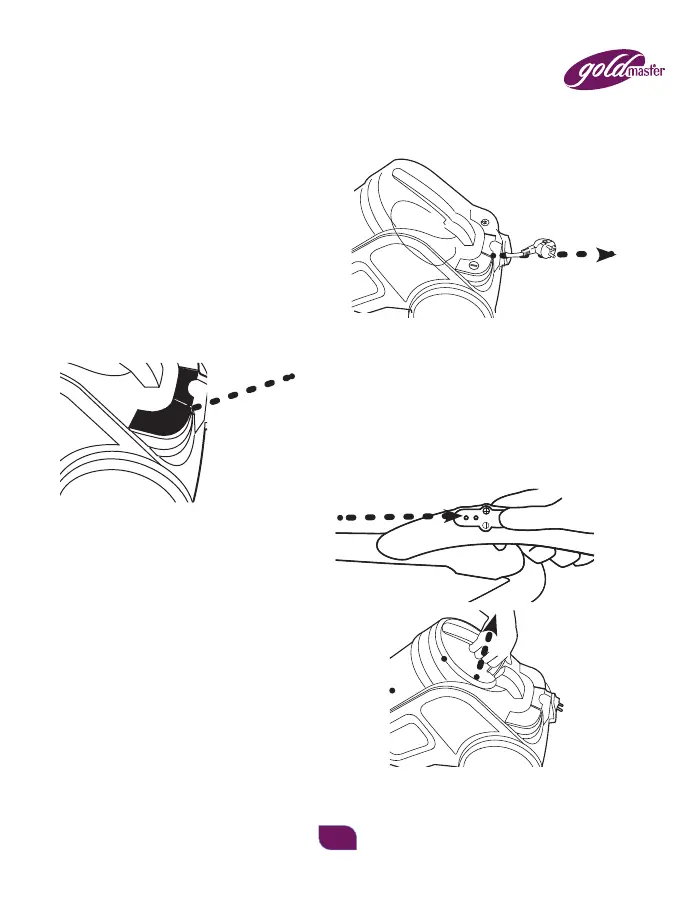
– Before using appliance, pull out a sufficient length of cable and insert
the plug into the power socket. A yellow mark on the power cable shows
the ideal cable length. Don't expend the cable beyond the red mark.
– Insert the power plug into the socket.
– Press the ON/OFF Switch button
to switch on the vacuum machine.
– When the vacuum cleaner is
working you can change the
suction force using the air
escape b utton, located on the hose handle.
CLEANING AND ATTENDANCE
To remove the dust barrel push the button
and pull the handle up.


 To Next Page