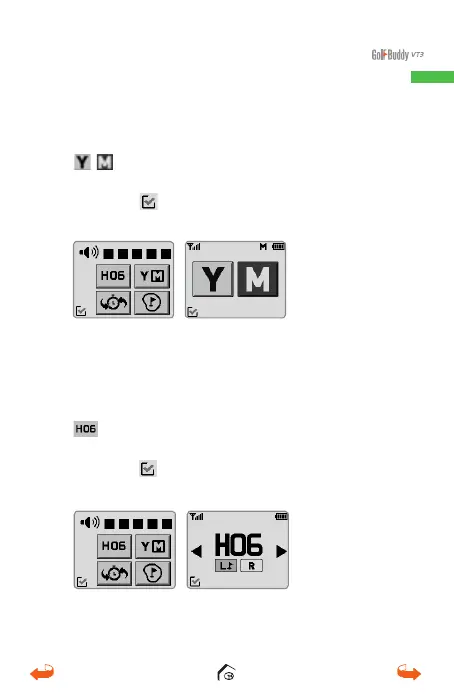
1.3.2. Distance Mode Setting
From the main screen, swipe down and touch the
icon to change from Yards to Meter or vice
versa.
Touch the
icon at the bottom left corner to save
and go back to your previous screen.
1.3.3. Changing Holes
From the main screen, swipe down and select the
icon. From the Hole Selection Screen, touch
the arrows to find your desired hole.
Touch the
icon at the bottom left corner to save
and go back to your previous screen.
01_0205VT3 manual (영어).indd 11 14. 2. 13. 오후 5:28



 To Next Page