3. Advanced Operations
3.3. Screen Lock Mode
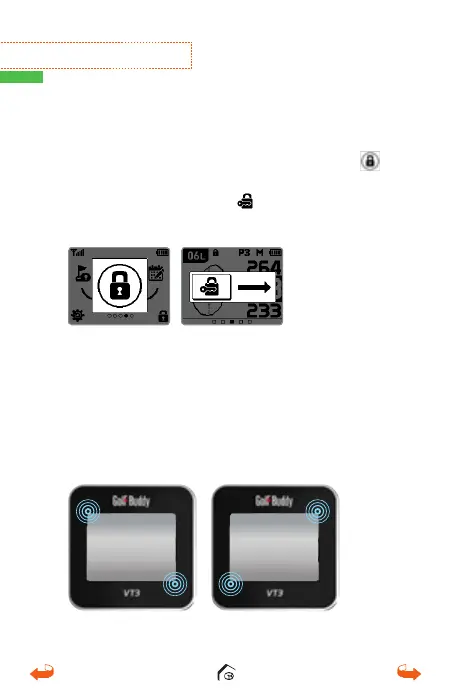
Press the power button to bring up the Quick Menu
screen. You can lock the screen by touching the
icon at the bottom right corner of the screen. To
unlock, touch and slide the
icon to the right.
3.4. Reset
To reset the unit, press and hold the 2 touch points
depicted below for 10 seconds.
01_0205VT3 manual (영어).indd 20 14. 2. 13. 오후 5:28



 To Next Page