DEVICE OVERVIEW
Getting Started
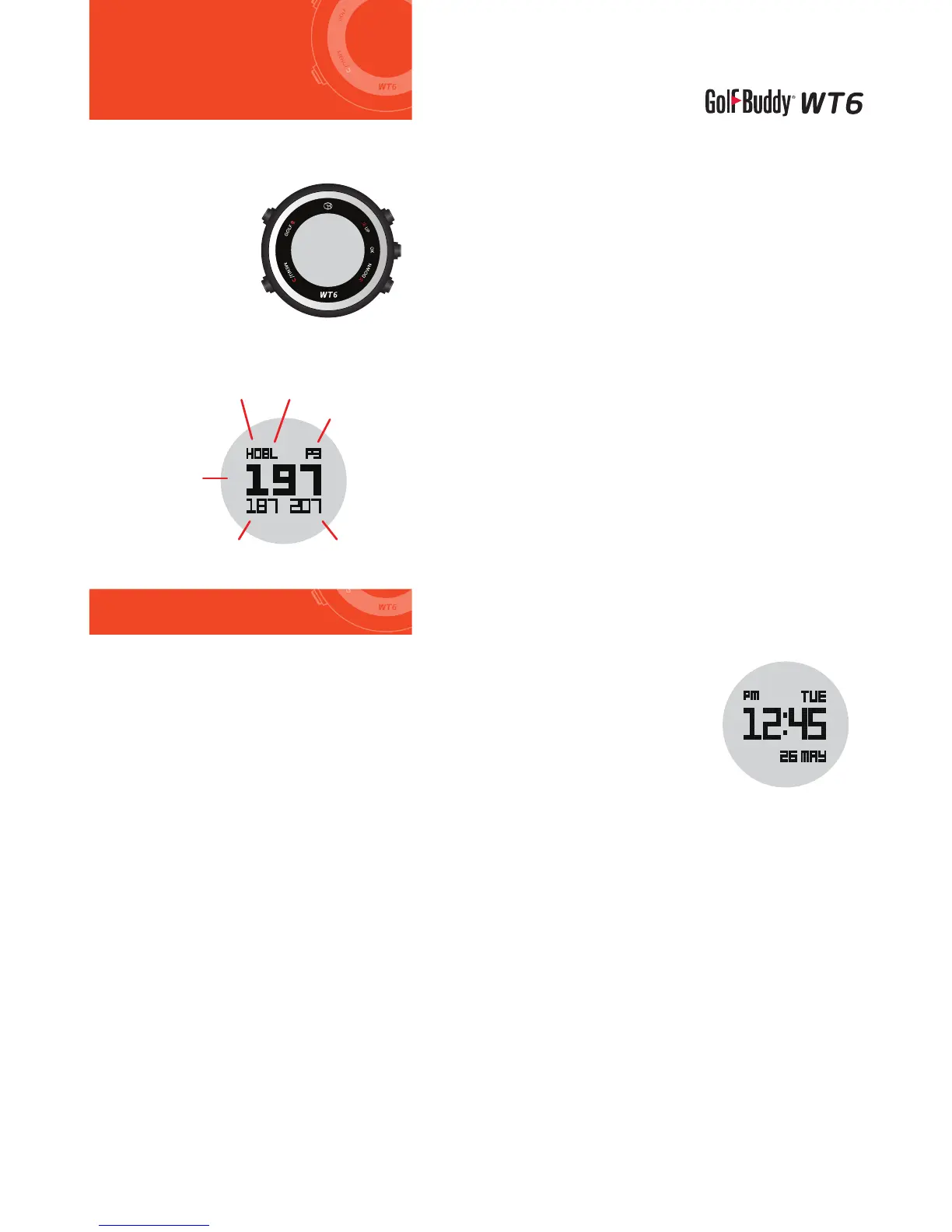
Overview of WT6
Screen Overview
·Remove clear lm/sticker from your GolfBuddy WT6 screen.
Power ON
·Right out of the box, the watch may be in sleep mode with the
screen o.
·Press and hold the “MENU” button for 2 seconds to activate the
watch again. If the watch is still o, charge the watch rst.
*Note: Date/time will set automatically once the WT6 successfully connects to satellites. (Please note you must
be outdoors to connect to satellites.) The default time zone is “LON 0H”, to manually adjust the WT6 to your time
zone, please refer to the “SET TIME” section.
Power OFF
·In Main Menu mode, press the “UP” or “DOWN” button to select the “POWER
OFF” function.
·Press the “OK” button to activate “POWER OFF”.
·Press the “UP” or “DOWN” button to select “YES” or “NO”.
·Press the “OK” button to conrm your selection.
① Hole Number
② L/R Green Selection
③ Par info
④ Distance to the Back of the Green
⑤ Distance to the Front of the Green
⑥ Distance to the Center of the Green
DOWN
OK
UP
GOLF
MENU/BACK
① ②
③
④⑤
⑥



 To Next Page