2
1. DEVICE OVERVIEW & CHARGING
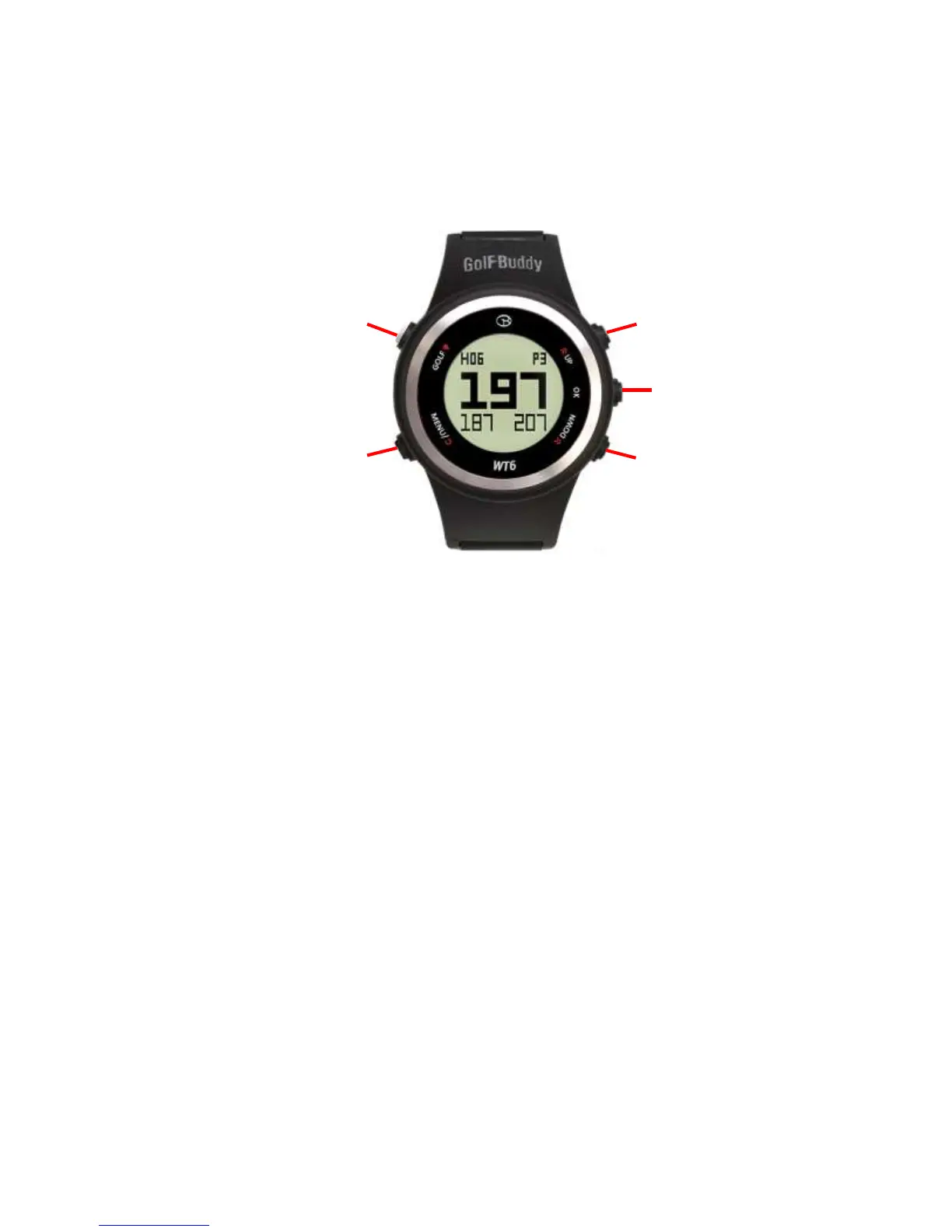
Using your GolfBuddy WT6 GPS Golf Watch
GOLF : The Golf Mode button will take you directly into Golf Mode.
MENU : View menu options, View previous, Power on
OK : Select
UP : Move selection
DOWN : Move selection
1.1 Power On
Press and hold MENU button for 2 seconds to POWER ON, then your GolfBuddy WT6 will
power on to time mode screen. If the watch is still off, charge the watch first.
Note : Date/time will set automatically once the WT6 successfully connects to satellites.
(Please note you must be outdoors to connect to satellites).
Power/Menu
Golf Mode
Button
Up
Select
Down



 To Next Page