Note:
The Goliath video door intercom has already been prepared for use before despatch.
This means that your video door intercom should be ready for immediate use without
any further adjustments. If you still encounter problems, you will find instructions here
on how to make the necessary configurations.
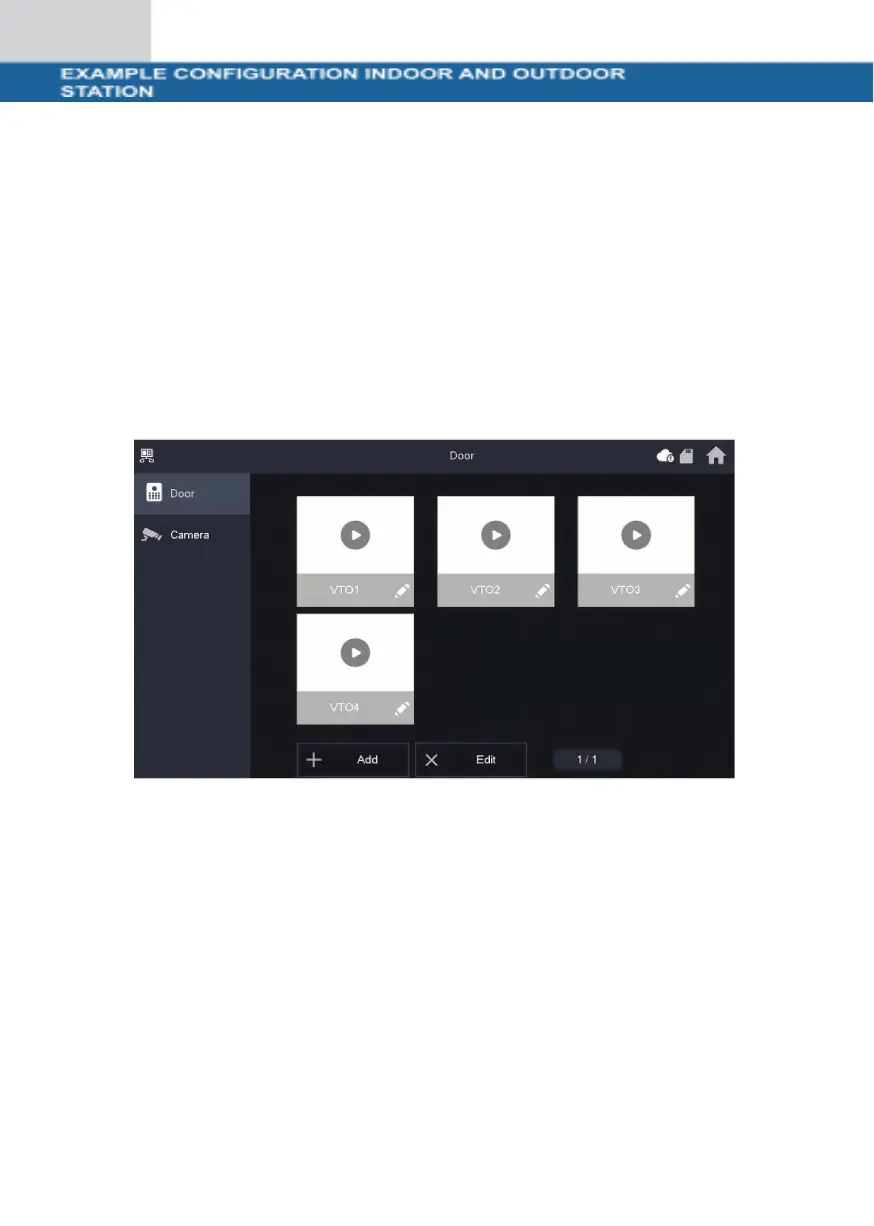
To adjust the settings for the indoor station, navigate to the "Monitor" button on the
monitor and select "VTO (Door)". If no VTO is listed, click on "Add".
If VTOs are already listed, first select "Edit", mark the corresponding door stations
and remove them. Then click
click on "Add".



 To Next Page