EasyManua.ls Logo

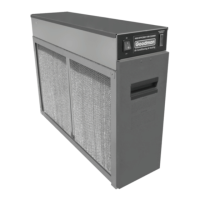
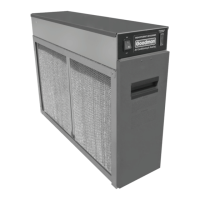
Goodman GSASD-10 - User Manual

Goodman GSASD-10
14 pages
Print Icon
To Next Page IconTo Next Page
Loading...
INSTALLATION, OPERATION AND
SERVICE INSTRUCTIONS
MODELS
GSASD-10, GSASD-11, GSASD-12, GSASD-18
ASASD-10, ASASD-11, ASASD-12, ASASD-18
ELECTRONIC AIR CLEANERS
IMPORTANT: PLEASE READ MANUAL BEFORE OPERATING UNIT
Features
Lifetime Filter System never needs replacing
Electronically removes dust, mites, pollen, pet dander, tobacco smoke, cooking smoke
and grease, mold, fungi, bacteria, viruses and more, down to 0.01 micron
Dual Voltage, Aluminum Collecting Cells are durable and easy to maintain
Cell Guide ensures proper placement of collecting cells
Activated Carbon Filters remove unpleasant odors
Electronic Air Proving Switch for quick wiring
Dual Indicator Lights show Air Cleaner is working at a glance
Galvanized Steel Cabinet for solid vertical or horizontal installation
Durable Scratch-Resistant powder coat paint finish resists corrosion
FOR QUESTIONS REGARDING INSTALLATION, OPERATION & SERVICE,
CALL THE AIR CLEANER HOTLINE TOLL-FREE
1-800-267-8305

Questions and Answers

  • C
    Crystal JamesAug 16, 2025
    What to do if my Goodman Air Cleaner unit does not function correctly and both power and performance lights are OFF?
    • E
      Emily PattersonAug 16, 2025
      If your Goodman Air Cleaner isn't working and both the power light and performance indicator light are OFF, first ensure the system fan is turned on. Next, check the wiring to make sure it's properly connected and that the plug is inserted into a powered receptacle. If those aren't the issue, test the power switch for continuity with an ohmmeter and replace if defective. Finally, check the safety interlock by removing the door and pressing it with a screwdriver; if the lights come on, bend the interlock lever towards the front and close the door.
  • J
    juliegarciaAug 25, 2025
    Why does my Goodman GSASD-10 have an ozone odor?
    • D
      Danny RayAug 25, 2025
      An ozone odor from your Goodman Air Cleaner can be caused by several factors. Bent cell plates can be straightened with needle-nose pliers. Loose or broken ionizing wires should be replaced. Dirty cells require washing and cleaning of the ionizing wires. If the air cleaner is running when the system fan isn't, check the air switch and wiring. If the incoming voltage is too high, adjust the high voltage potentiometer clockwise on the power board. If the air cleaner is oversized, use the correct size. Extremely dry conditions in the home may require repairing or installing a central humidifier. Also, ensure the fan is running continuously and return air grilles are not obstructed to avoid heavy lint dust.
  • J
    John ClarkAug 27, 2025
    What to do if my Goodman GSASD-10 cells are not collecting dirt?
    • S
      Sarah GreenAug 27, 2025
      If the power light and performance indicator light are ON but the cells aren't collecting dirt, ensure the arrow on the cells is pointing towards the fan blower. Reposition the cell handle and place the cell in properly. Also, make sure the system fan is not on the “Automatic” setting; use the “Fan On” setting for continuous operation. Finally, try adjusting the high voltage potentiometer counter-clockwise on the power board to increase the voltage on the collecting cells.
  • R
    Raymond WilliamsAug 31, 2025
    How to fix a Goodman GSASD-10 Air Cleaner cell that makes loud hissing noise?
    • C
      Corey BishopAug 31, 2025
      If your Goodman Air Cleaner cell makes a loud hissing noise or causes radio interference, the internal cell contacts might not be touching the plates; test and repair the contacts. Alternatively, the copper contacts on the high voltage tray may not be making a good connection on the cell; gently pull the contacts down with needle-nose pliers or replace the contacts.
  • M
    Mark GeorgeSep 4, 2025
    What to do if my Goodman GSASD-10 cells are arcing excessively at the top?
    • K
      Kelly VasquezSep 4, 2025
      If the cells in your Goodman Air Cleaner are arcing excessively at the top near the copper contacts (with both the power light and performance indicator light ON), the copper contact on the high voltage contact board might be broken or bent upward. If possible, pull down the contacts with needle-nose pliers, or remove the power box and replace the contacts.
  • B
    Brenda SweeneySep 7, 2025
    What does it mean if the power light is OFF and performance indicator light is ON in my Goodman GSASD-10?
    • W
      William BlairSep 8, 2025
      If the power light is OFF and the performance indicator light is ON in your Goodman Air Cleaner, the power switch light is likely defective and needs to be replaced.
  • A
    Alexandria ChangNov 11, 2025
    What to do if my Goodman GSASD-10 unit does not function correctly and the power light is ON but the performance indicator light is OFF?
    • J
      Jesse WhiteNov 12, 2025
      If your Goodman Air Cleaner's power light is ON but the performance indicator light is OFF, several issues could be the cause. There might be a short in the cells due to a broken ionizing wire (remove or replace wire fragments), large particles wedged between cell plates (shake out particles or wash cell), recently washed cells that are still wet (allow cells to dry completely), a dirty or damaged cell end plate insulator (clean or replace), or bent cell plates (straighten with pliers). It could also be a defective performance indicator light (test power board for high voltage; if present, replace the light), a defective power board (adjust the high voltage potentiometer or replace the board), a burnt-out Air Proving Switch (APS) sensor (blow lightly on the sensor or replace), insufficient...
  • W
    wstricklandNov 19, 2025
    What to do if my Goodman GSASD-10 cells are arcing excessively?
    • K
      Kenneth GarzaNov 19, 2025
      If the power light and performance indicator light are ON or flashing, excessive arcing in the cells of your Goodman Air Cleaner could be due to several reasons. The cells might be wet from washing, in which case you should allow them to dry completely. There could also be particles lodged in the cell or a broken ionizing wire; try washing the cell, shaking out any particles, and replacing the wire if needed. Other potential causes include dirty cells (wash them and clean the ionizing wires), bent cell plates (remove cells and adjust to original spacing using needle-nose pliers), ducts that weren't cleaned prior to installation (clean the ducts), voltage that is too high (adjust the high voltage potentiometer on the power board clockwise), high voltage wires on the wrong copper contact (re...

Summary

SAFETY CONSIDERATIONS

BENEFITS

HOW IT WORKS

COMPONENTS

Air Proving Switch (APS)

Integrated. Automatically cycles Air Cleaner on and off with the system fan. Detects airflow.

INSTALLATION

Location

Must be installed in the return air duct, as close to the fan compartment as possible for even airflow.

Electronic Air Cleaner Installation

Step-by-step guide for physically installing the air cleaner unit into the ductwork and connecting components.

Wiring

SYSTEM CHECK

OPERATION

MAINTENANCE

Cell And Prefilter Cleaning

Procedure for cleaning collecting cells and prefilters using detergent and water. Regular cleaning is crucial.

SERVICE

Testing For High Voltage At Power Board

Procedure to test for high voltage output from the power board using a screwdriver to check for spark.

Measuring High Voltage At Power Board

Detailed steps to measure high voltage at the power board using a high voltage meter. Includes checks for cells and contacts.

Replacing A Power Board

Step-by-step guide to safely remove and replace the main power board, including disconnecting wires and securing the new board.

Testing Air Proving Switch (APS)

Methods to test the Air Proving Switch (APS) for proper operation and voltage output. Includes bypassing the APS.

Parts List

TROUBLESHOOTING GUIDE

Goodman GSASD-10 Specifications

General IconGeneral
BrandGoodman
ModelGSASD-10
CategoryAir Cleaner
LanguageEnglish

Related product manuals