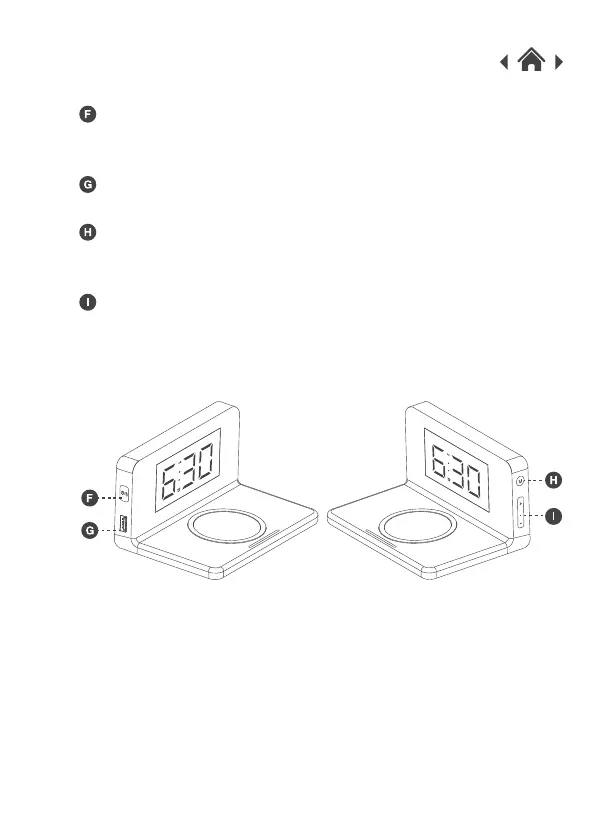
2.4 Side View
Nightlight Button
Press this button to turn the nightlight on or off. When the
nightlight is on, press to adjust the 3 levels of brightness.
The USB port can support charging for devices without Qi function.
Press the “M” button to enter the time setting.
Press and hold the “M” button to enter the alarm setting.
Press the “+” & “-” button to adjust the brightness level on the
display.
Press the “+” & “-” button to set the time and alarm when you
have selected the time or alarm settings.
“M” button
“+” & “-” button
USB Output


 To Next Page