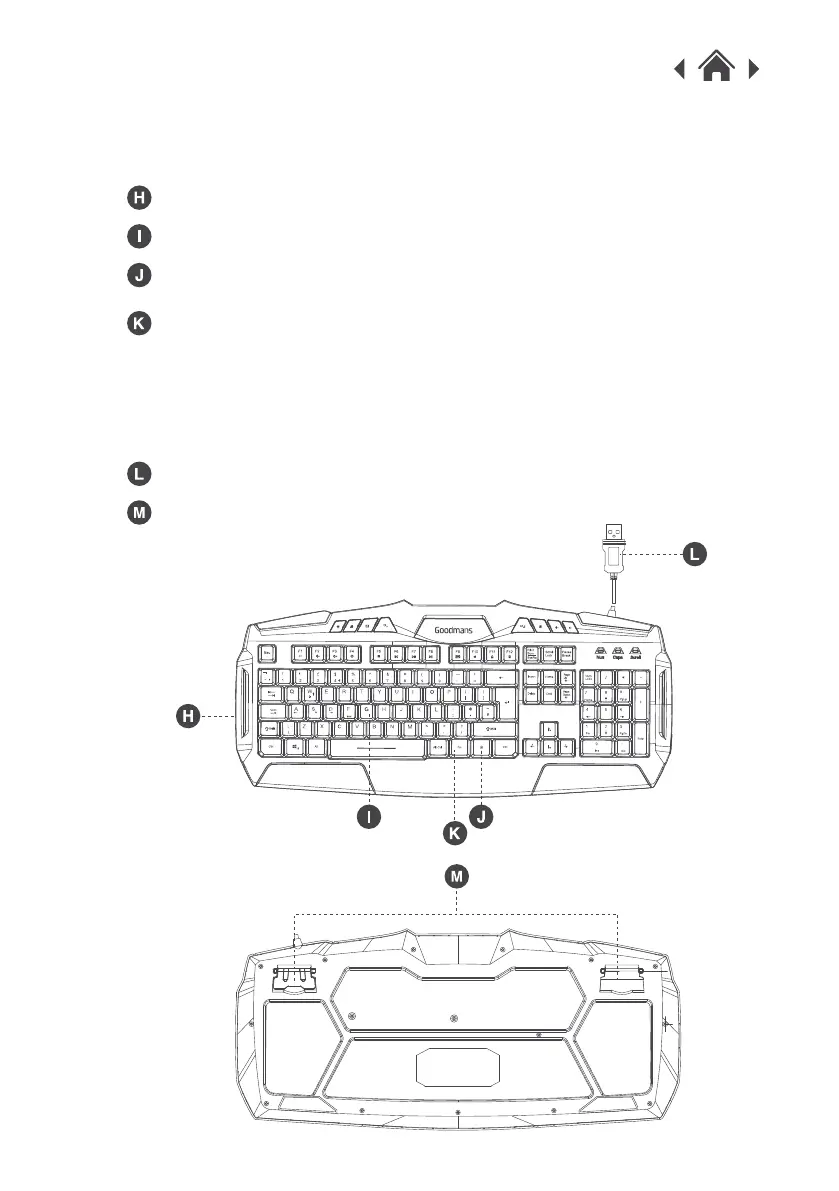
Press and hold the FN button and the
LED Light button to turn on the LED fading mode.
Press and hold the FN button and the W
key to use the arrows shown on the W, A, S , D keys.
LED Light
Keyboard
LED Backlight
LED Light On / Off Button
USB Plug
FN Button
Support Frame



 To Next Page