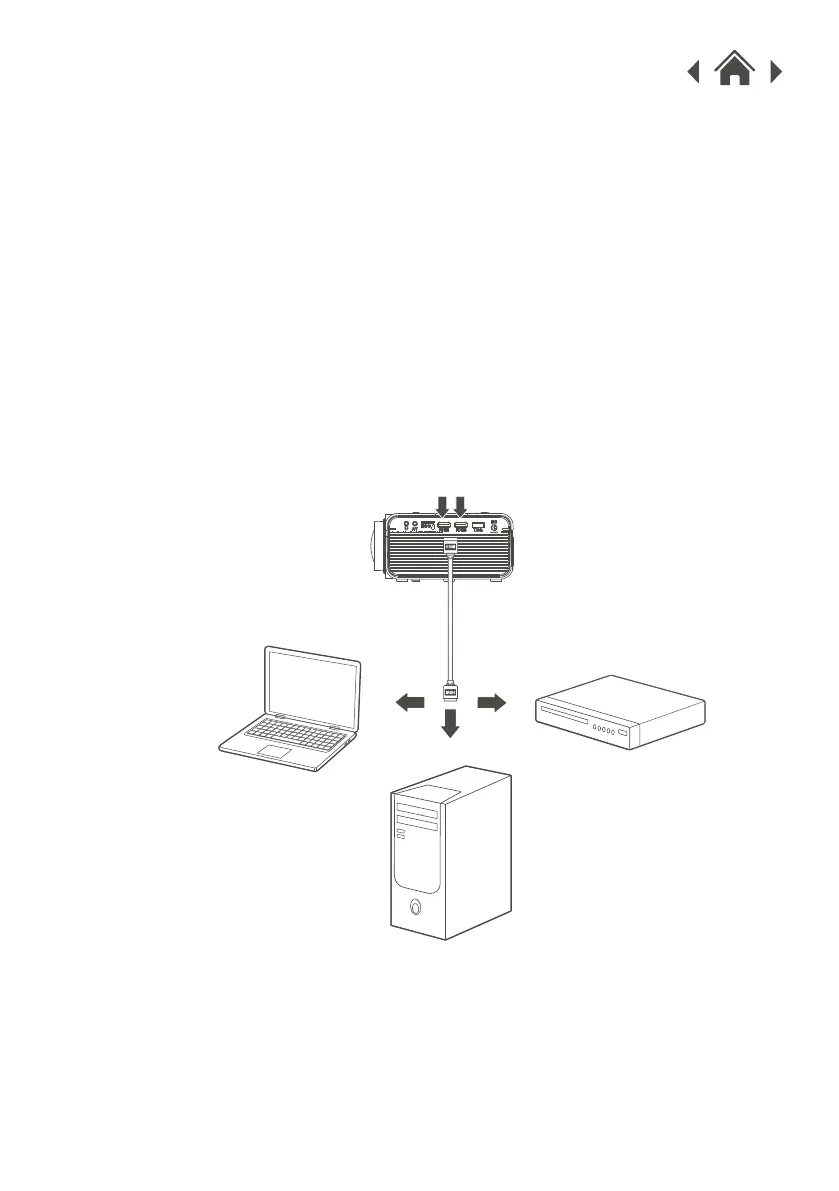
HDMI offers superior sound and picture quality, and is the easiest
way to play media from a computer, Blu-Ray player, or other
device with an HDMI output.
Requires an HDMI cable (included) and a device with an HDMI
output.
1. Using an HDMI cable, connect the HDMI 1 or 2 input on the
projector to the HDMI output on your media player or computer.
2. Set the projector's Source to the connected HDMI input and use
the controls on the connected device to select and play media.
You can also connect to your mobile device using a HDMI to
USB-C or Lightning Cable (not supplied).
4.7 HDMI
Connect to HDMI on
laptop or PC.
Connect to HDMI on DVD,
Blu-Ray, or other source.
HDMI Inputs


 To Next Page