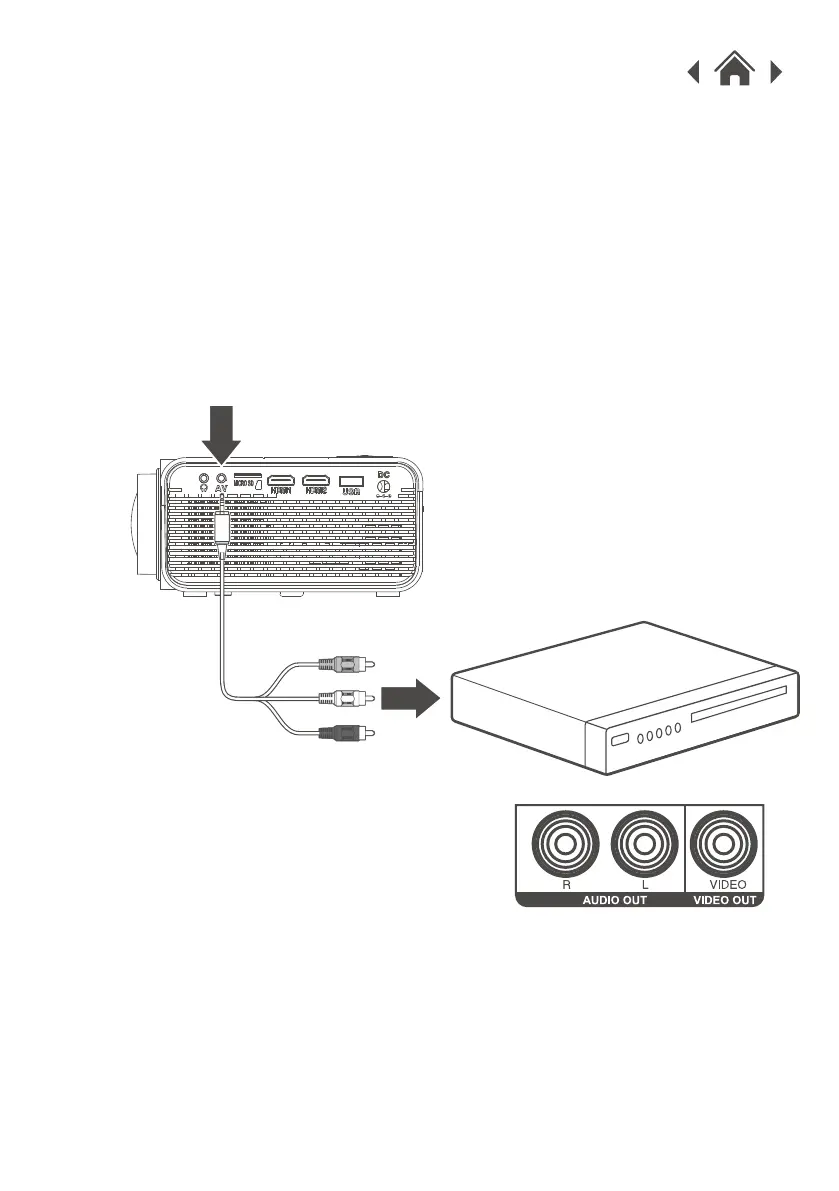
1. Connect 3.5mm jack to the AV input of unit.
2. Connect RCA jack to stereo audio output and composite
video of the media player.
3. Set the projector's Source to AV and use the controls on the
connected player to select and play media.
Requires a 3.5mm to RCA audio/video cable (included).
4.8 Audio/Video Input
Connect AV cable (included) to
media player's AV outputs.
Audio Left Channel - White
Audio Right Channel - Red
Video - Yellow
AV IN


 To Next Page