Supports AVI, MOV file formats.
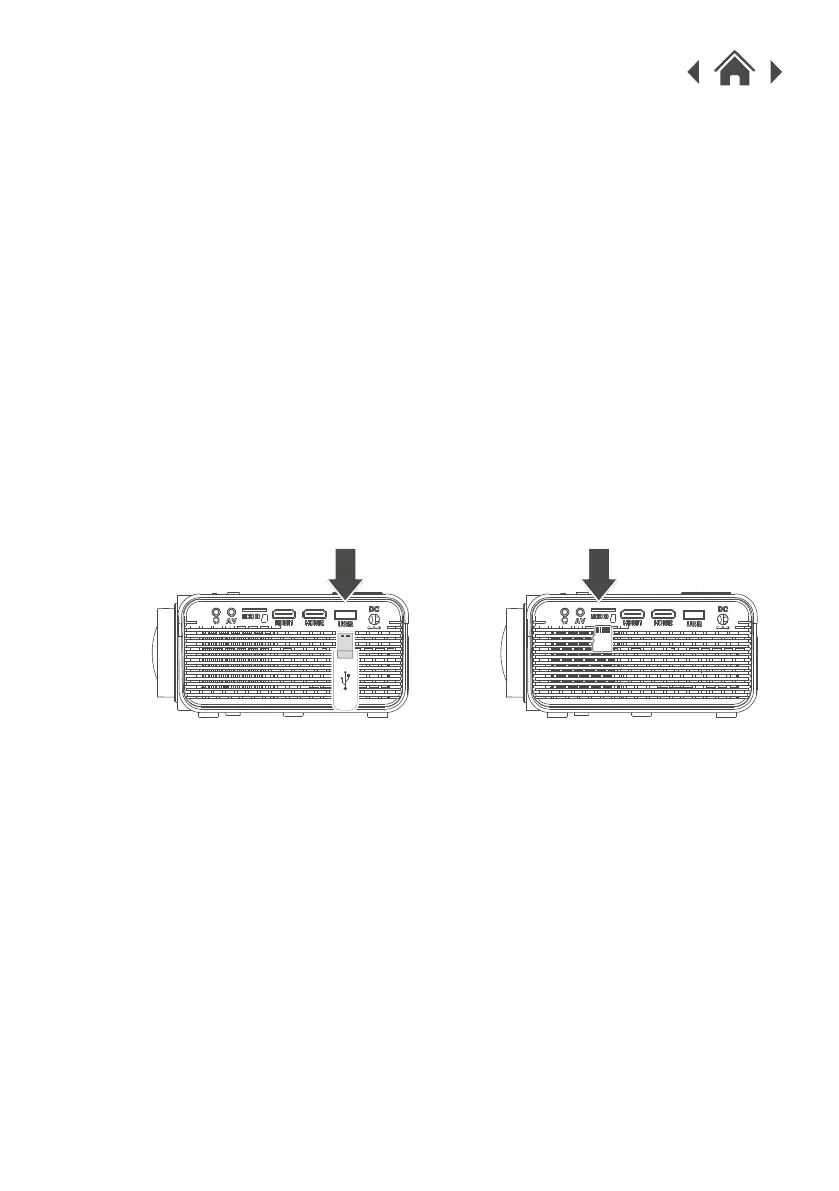
1. Insert a USB drive into the USB Port.
2. Set the Source to Media Player, then use the Arrow buttons to
select "C:Drive" or "D:Drive" (C: Drive is USB, D: Drive is SD
card).
Note: Whichever is used first (USB or SD card) is designated
as the C Drive.
Note: Only certain video and audio formats are supported
when using a Hard Drive/USB/SD Card.
3. Use the Arrow buttons to select Music/Photo/Movie, then press
the OK button to begin playing content from the connected
storage device.
Supports Micro SD cards, external Hard Drives and USB flash
drives up to 32GB.
4.9 Micro SD & USB Storage Devices
USB Port Micro SD Card Slot


 To Next Page