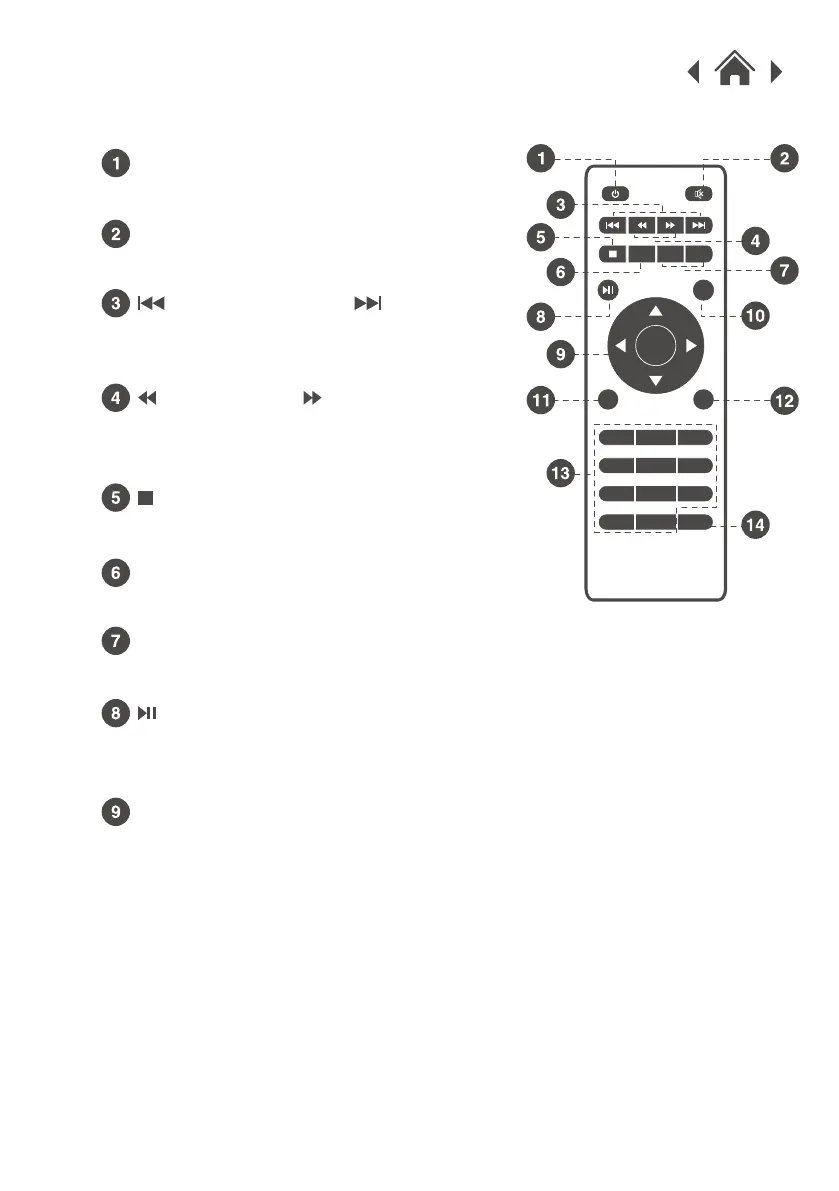
Press to mute volume.
Press to skip between chapters or
tracks.
Press to search through an
individual chapter or track.
Press to stop playback.
Press to ON/OFF power.
2.6 Remote Control
Power
Mute
Press to flip display image 180°.
Flip
Press to adjust audio level.
VOL+ / VOL-
Press to navigate and confirm
selections in Settings and other
menus.
Arrows/OK
Previous / Next
Press to play or pause an individual
chapter or track.
Back / Fwd
Stop
Play/Pause
OK
1 2 3
4 5 6
7
8 9
0
SOURCE
GOTO ZOOM
MENU
FLIP VOL – VOL +
EXIT


 To Next Page