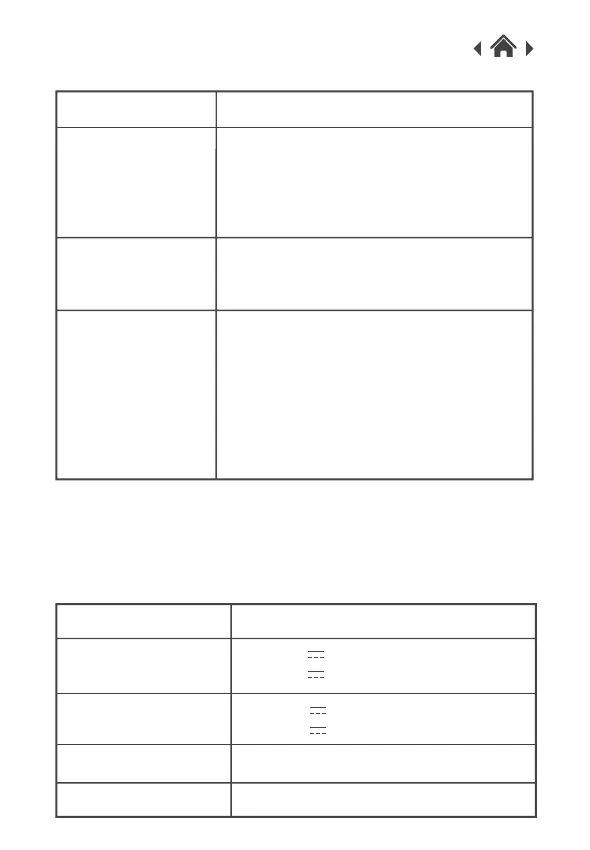
What to do
Check the USB cable is connected
correctly to the wireless charger.
Make sure the power adapter and USB
cable is connected.
QI wireless charger
is not working.
5
The mood light isn't
working.
Please check the USB cable is
connected and follow the instructions in
section 2.2.
Troubleshooting
Problem
Please Note
QI enabled device
isn't charging.
Not all device charging support is listed above. Please refer to your
device’s user manual for further information.
Place your device on the centre of the
Qi wireless charger.
If the phone is in a protective case,
remove it and try again.
Make sure your mobile phone is Qi
enabled devices.
Input
6
Technical Specifications
Model Number
364137
Output
Weight
380 g
Dimensions
191mm(L) x 203mm(W) x 13mm(H)
DC 5.0V 2.0A
DC 9.0V 1.67A(fast charger)
DC 5.0V 1.0A
DC 9.0V 1.2A(fast charger)



 To Next Page