
 Need help?
Do you have a question about the Goodmans GMP34G5 and is the answer not in the manual?
Explains Mass Storage Class (MSC) and Media Transfer Protocol (MTP) modes for data transfer.
Instructions for transferring files using MTP mode on Windows XP with WMP10+.
Instructions for transferring files using MSC mode for all Windows and MAC users.
Guide on using Windows Media Player to manage and transfer music files.
How to copy audio CD tracks into WMA format using Windows Media Player.
Steps to transfer music files, including DRM-protected ones, to the player.
How to display lyrics in LRC format synchronized with music playback.
Adjusts music playback effect with preset equalizer options.
Sets available play modes like Normal, Repeat One, Repeat All, and Shuffle.
Selects playback modes such as Normal, Repeat One, Repeat All, and Shuffle.
Adjusts the screen contrast level for better visibility.
Sets the delay time for the screen backlight to turn off.
Configures automatic player shutdown during inactivity to save power.
Sets recording parameters like sampling rate for audio recording.
Addresses issues with installing software on different operating systems.
Solutions for problems downloading files to the player's memory.
Explains why certain music files may not play on the device.
Explains causes of audio distortion during playback and solutions.
Discusses reasons for poor audio playback quality and how to fix it.
Addresses the issue of the player not responding after being powered on.
Provides solutions for when no sound is heard despite pressing the play button.
Explains why indicated memory might differ from actual available storage.
Offers solutions for when the player screen remains blank after powering on.
Details available internal memory sizes (512MB to 4GB) and firmware reservation.
Specifies the interface type, which is USB Compatible.
Describes power source (1x AAA battery) and continuous playback time (up to 18 hours).
Lists the available equalizer presets (Normal, XBass, Rock, Jazz, Classical, Pop).
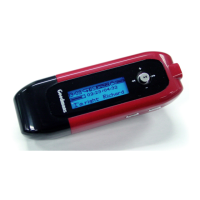
Details the display type, a 96 x 32 Dot-Matrix LCD.
Lists the player's control buttons and functions (PLAY/PAUSE, STOP, SKIP, MENU, VOLUME, HOLD).
States the processor type, a 75 MIPS DSP.
Specifies supported audio formats: WMA and MP3.
Indicates the Signal to Noise Ratio is greater than 90 dB.
Details the frequency response range of 20 Hz to 20 kHz.
Specifies the output power per channel, less than 4.4 mW.
Provides the Total Harmonic Distortion (THD) range from 0.01% to 0.5%.
Lists available ports: USB Port and Phone Out.
States the firmware type is Flash based.
 General
| Storage Capacity | 4GB |
|---|---|
| Screen Size | 1.8 inches |
| Supported Formats | MP3, WMA |
| Connectivity | USB 2.0 |
| Battery | Rechargeable lithium-ion |

 To Next Page