! WARNING: Fire Hazard
Fans have arcing or sparking parts inside. Do not use near combustible materials or flammable
gases or sources of heat.DO NOT USE in areas where gasoline, paint or flammable materials are
used or stored. To prevent a possible fire, do not block air intakes or exhaust in any manner. Do
not insert or allow foreign objects to enter any ventilation or exhaust opening as this may cause
an electric shock, fire, or damage the fan.
SAVE THESE INSTRUCTIONS
FOR FUTURE REFERENCE
To Use
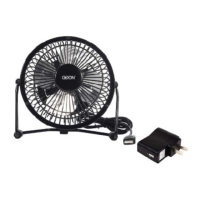
uncoil wire attached to fan and plug it directly to any available powered USB port on your
computer This fan also can be plugged directly in to a USB hub attached to a computer
Fan can be plugged directly into a wall receptacle with the included A.C. adapter. Simply insert
USB plug into A.C. adapter and plug into 120V A.C./ 60Hz. Household receptacle.
Note: For best operation, only use the 5-Volt USB A.C. adapter that is included with your fan.
Phone charging adapters may not work properly. The fan may operate at a slower speed when
plugged into a computer
Turn fan ON/OFF using rocking switch located on the back of the fan.
Laptop computer user note:
When plugged into your laptop USB port, this USB fan gets its power from the computer laptop.
To avoid laptop battery drain, plug laptop computer into a receptacle while using this fan.


 To Next Page