52
BATTERY
USING THE CAMERA WHILE CHARGING
You can capture Video and Photos while charging the camera’s battery.
Simply plug the camera into a computer, any USB charging device using the
included USB Cable.
REMOVING THE BATTERY FROM THE CAMERA
The
HERO3+
battery is designed to have a tight fit to maximize reliability
in high-vibration activities.
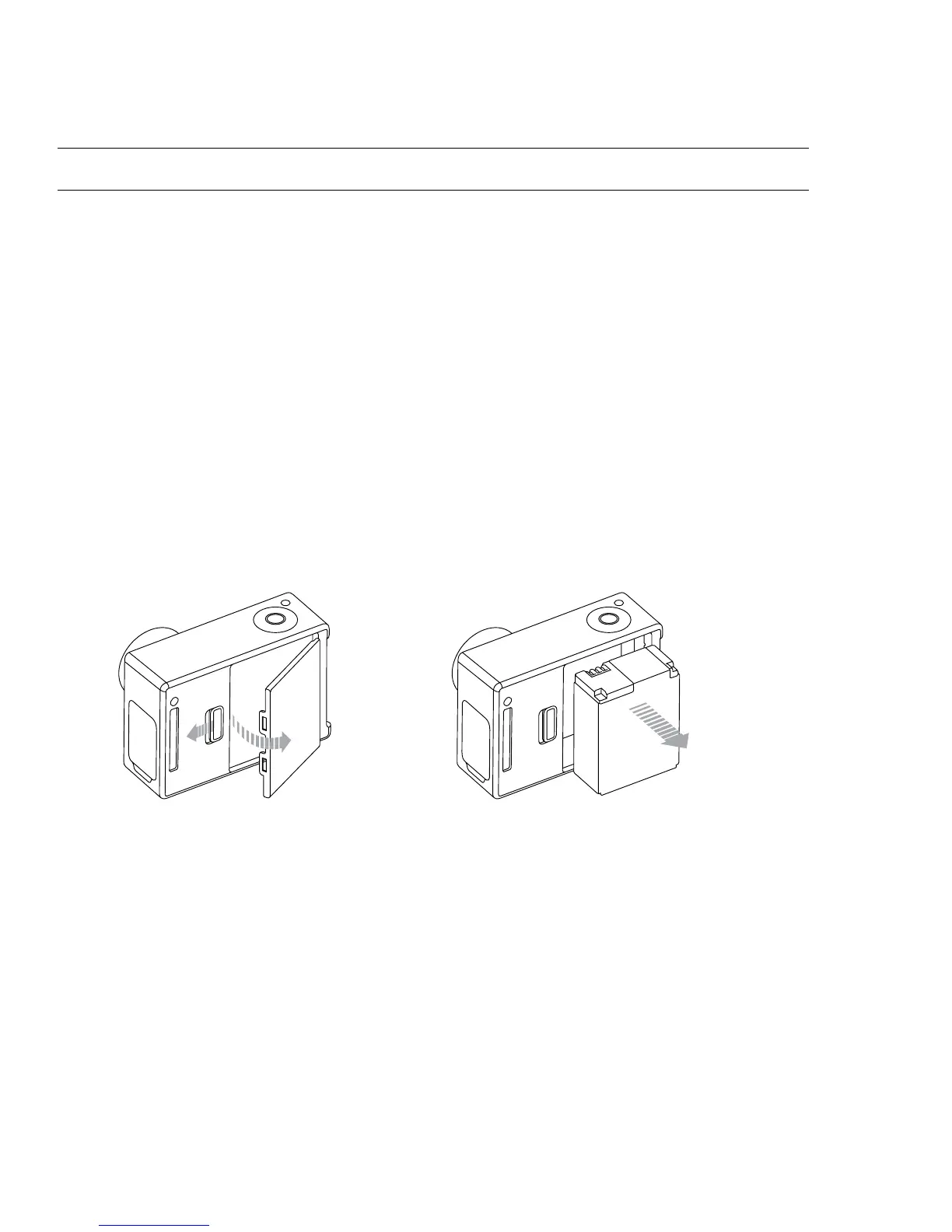
To remove the battery:
1. Remove the battery door by placing your thumb in the indentation in the
battery door (on the back of the camera) and sliding it to the le.
2. Allow the door to pop out. Grasp the battery pull-tab and remove from the camera.


 To Next Page
 Loading...