16 17
/ Camera Displays
Gestures
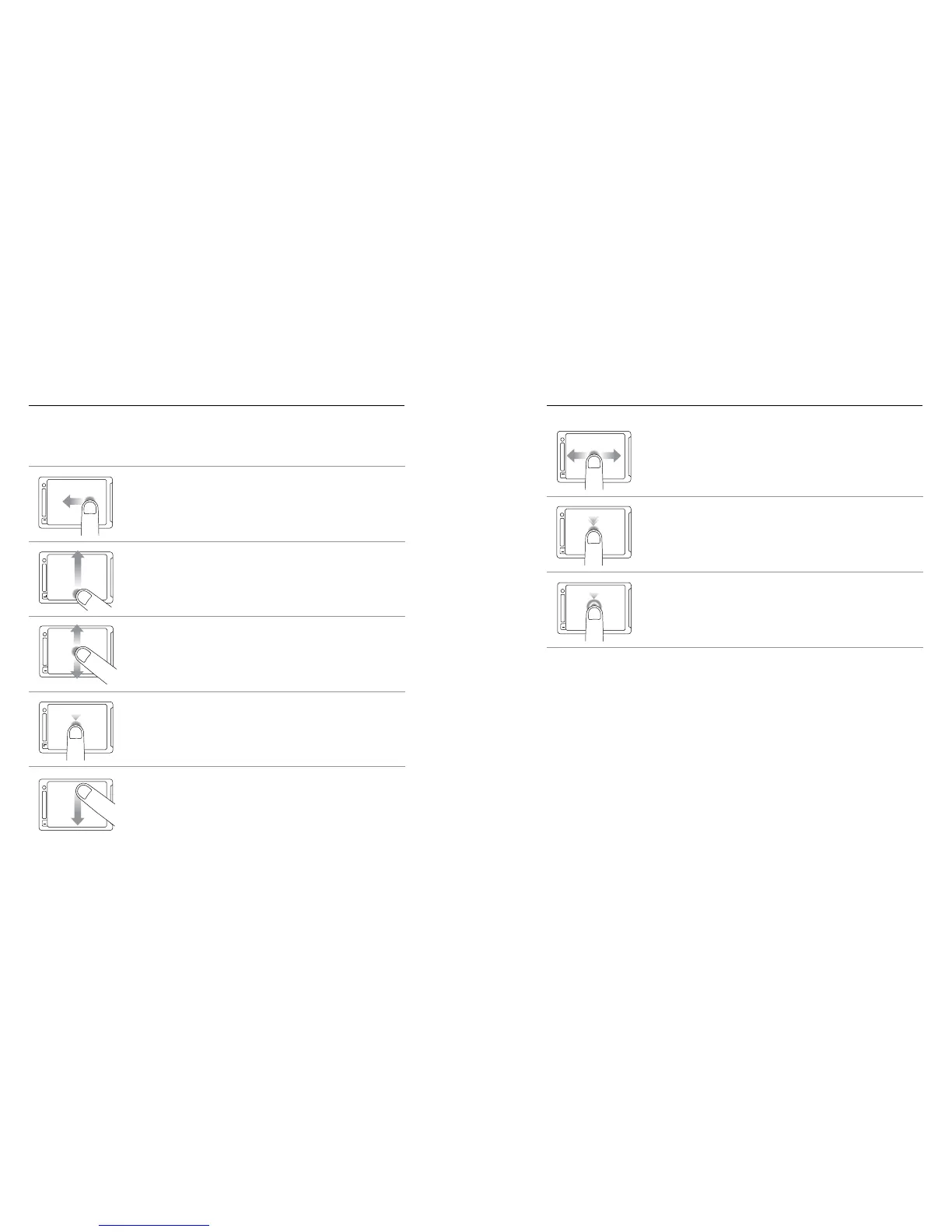
Use these gestures to navigate the touch display:
Swipe up/down
Swipe up from
bottom edge
Swipe left
Press for 3 sec
Slide down and hold
Swipe down
Swipe Le
Display camera modes.
Swipe up/down
Swipe up from
bottom edge
Swipe left
Press for 3 sec
Slide down and hold
Swipe down
Swipe Up from Bottom Edge
Open the settings menu for the current mode.
Swipe left/right Double tap Tap Press + hold
Swipe up/downSwipe from top/bottomSwipe from left edge
Swipe Up/Down
Move through settings lists.
Swipe left/right Double tap Tap Press + hold
Swipe up/downSwipe from top/bottomSwipe from left edge
Tap
Select an item, turn a setting on/off.
Swipe up/down
Swipe up from
bottom edge
Swipe left
Press for 3 sec
Slide down and hold
Swipe down
Swipe Down from Top Edge
Close the settings menu.
Swipe left/right Double tap Tap Press + hold
Swipe up/downSwipe from top/bottomSwipe from left edge
Swipe Le/Right
Display gallery images (Playback mode).
Swipe left/right Double tap Tap Press + hold
Swipe up/downSwipe from top/bottomSwipe from left edge
Double Tap
Change FOV in preview mode.
Swipe up/down
Swipe up from
bottom edge
Swipe left
Press for 3 sec
Slide down and hold
Swipe down
Press for Two Seconds
Lock the touch display. (Lock setting must be on.)
/ Camera Displays


 To Next Page