14 15
/ Camera Displays
Your HERO4 Silver features a status screen on the front of the camera
and a larger touch display on the back
.
CAMERA STATUS SCREEN
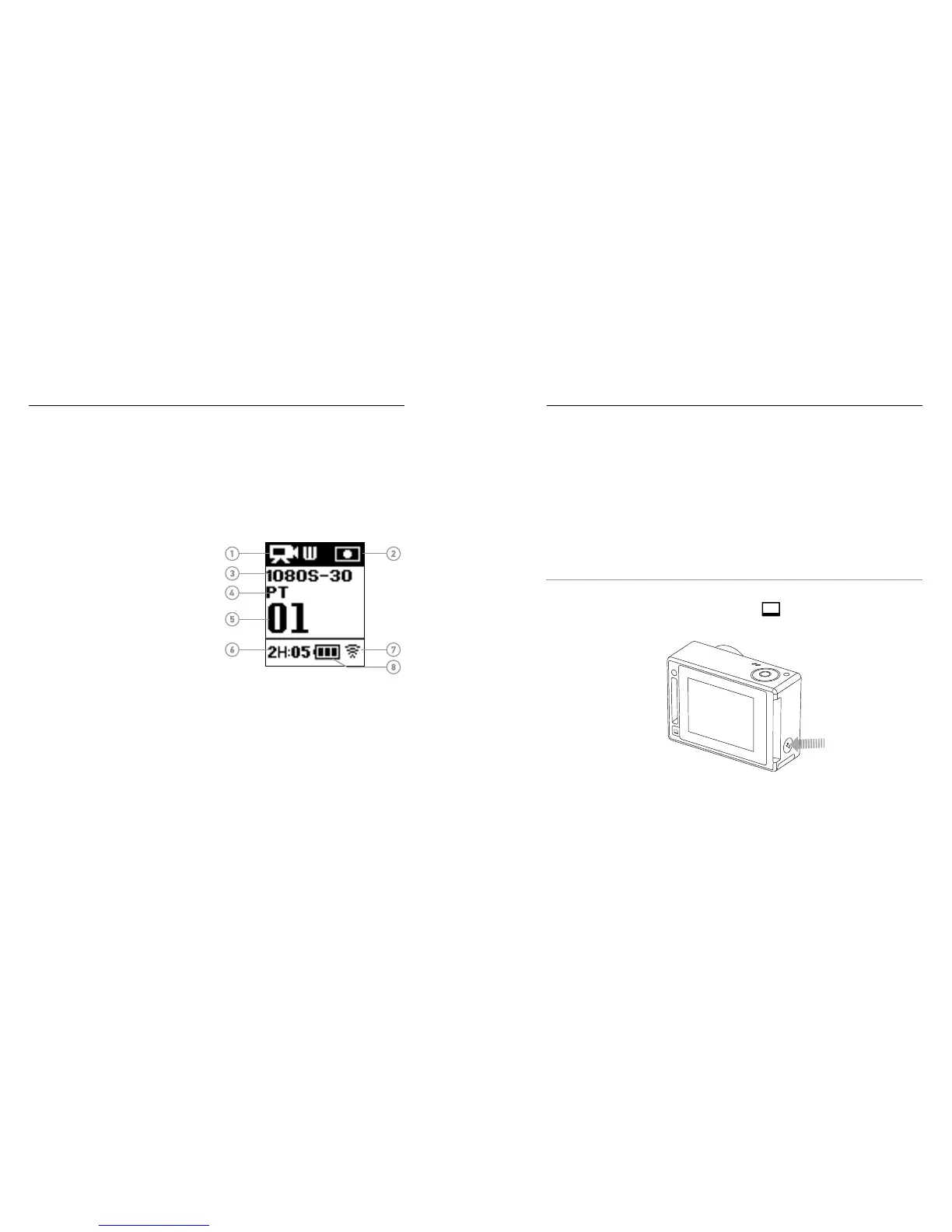
The camera status screen on the front of the camera displays the
following information about modes and settings:
1. Camera Modes/FOV
(field of view)
2. Camera Settings
3. Resolution/fps
(frames per second)
4. Protune
™
5. Number of Files Captured
6. Time/Storage/Files
7. Wireless
8. Battery Life
Note: The icons that appear on the camera status screen vary by mode.
TOUCH DISPLAY
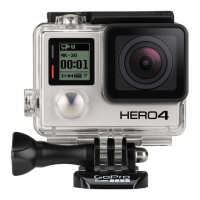
The integrated touch display on the back of the camera lets you control
your camera and its settings, and preview and play back videos and
photos. You can also use it as a viewfinder so you can see what your
camera sees for easy shot-framing.
Turning the Touch Display On/Off
The touch display automatically turns on/off when you power the
camera on/off.
PRO TIP: To conserve battery power while your camera is on, press
the Touch Display Sleep/Wake button [
] to dim your screen when
it is not in use.
/ Camera Displays


 To Next Page