LIST
OF
COMMANDS
For the most updated
list
of
commands, visit
gopro.com/help.
ACTION COMMANDS DESCRIPTION
GoPro
start
recording Captures video
GoPro
Hi
light
Adds a
Hilight
Tag
to
video
That was sick Adds a
Hi
light
Tag
to
video
GoPro stop recording
GoPro take a photo
GoPro shoot burst
Stops
capturing video
.......
...
.........................
Captures a
single photo
Captures burst photos
...
...........
....
.................
.
GoPro start time
lapse
Captures Time Lapse photos
GoPro
stop time
lapse Stops
capturing time
lapse
photos
GoPro
turn
off
Powers
off
the
camera
MODE COMMANDS
DESCRIPTION
-
----
--
-
--
·-··--
--
- -----
--
GoPro
Video mode
GoPro
Time Lapse mode
GoPro
Photo mode
GoPro Burst mode
Changes
the camera mode
to
Video (does
not
capture video)
Changes
the
camera mode
to
Time Lapse (does
not
capture
time
lapse
photos)
Changes
the camera mode
to
Photo mode (does
not
capture
photos)
Changes
the camera mode
to
Burst mode (does
not
capture
burst photos)
·•·····
······················•·••·
·••·
•••
•··
•······•
·· ··· ········••··
···•·•
•·•••·•··············
····
··••·•••·••••··•·· ••·······
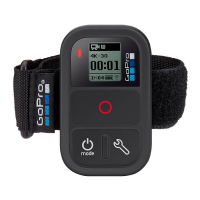
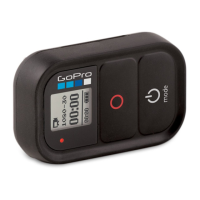
PRO
TIP:
When Remo and
the
camera are on, you can press
the
Shutter
button
on Remo
to
begin capturing
in
the
camera's
current mode.



 To Next Page