GOST Phantom – Installation + Programming Guide
support@gostglobal.com or (954) 565-9898 10
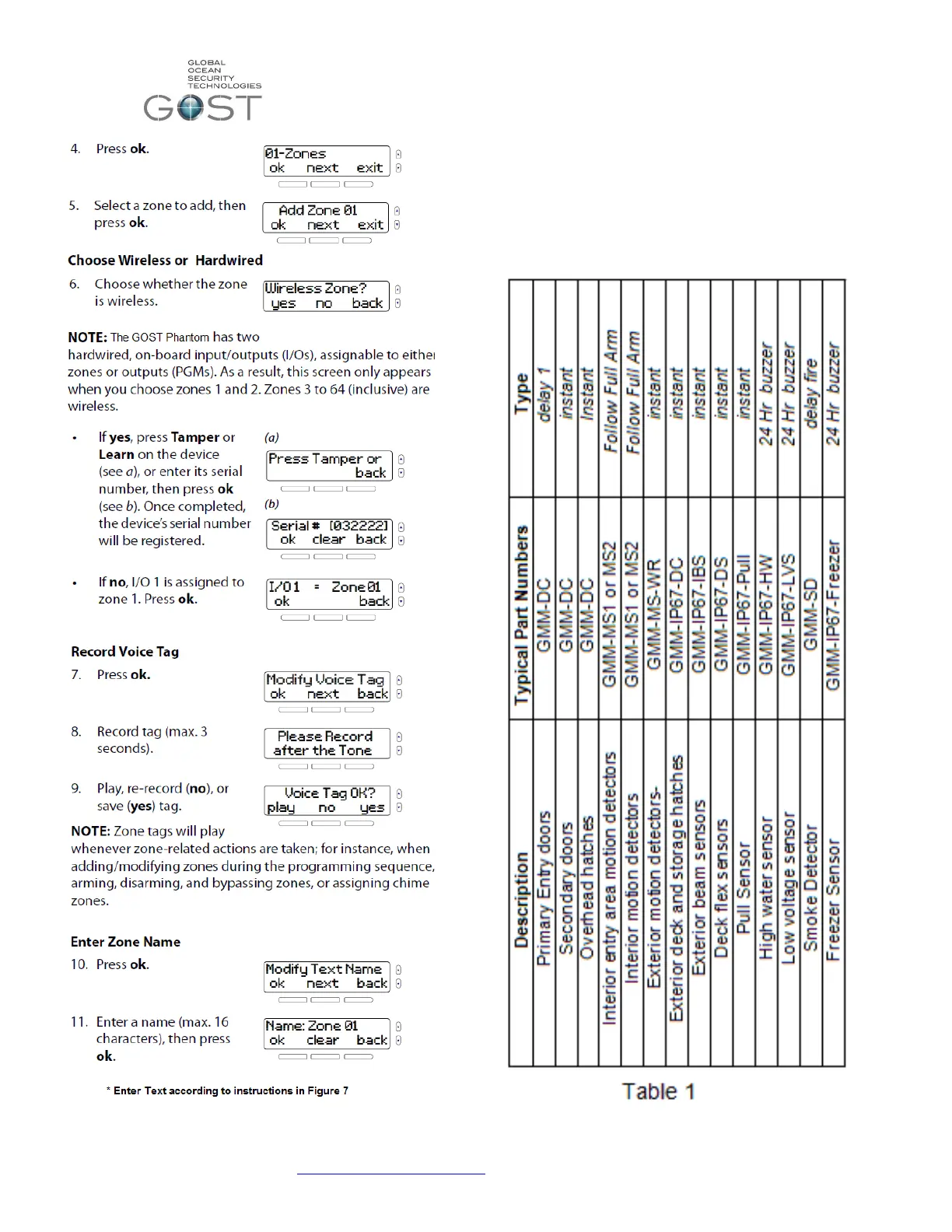
You are now prompted to select a zone “type”. This is the action
that you want the zone to take when it opens and closes
accordingly. There are many different definitions of zone types.
Thoroughly review the typical zone definitions for the different types
of zones in Table 1. If you still have questions after reviewing the
table, see the standard definitions below it. Press “next” and “ok’ to
navigate and select the desired zone type according to the general
guidelines below for each style zone.


 To Next Page
 Loading...