GOST Phantom – Installation + Programming Guide
support@gostglobal.com or (954) 565-9898 22
“12-Stay D Path”
This feature is used as a permanent armed
solution that disarms defined areas and subsequent
zone activations accordingly. It will generally
never need to be used. If specific definitions of this
function are needed, please contact GOST.
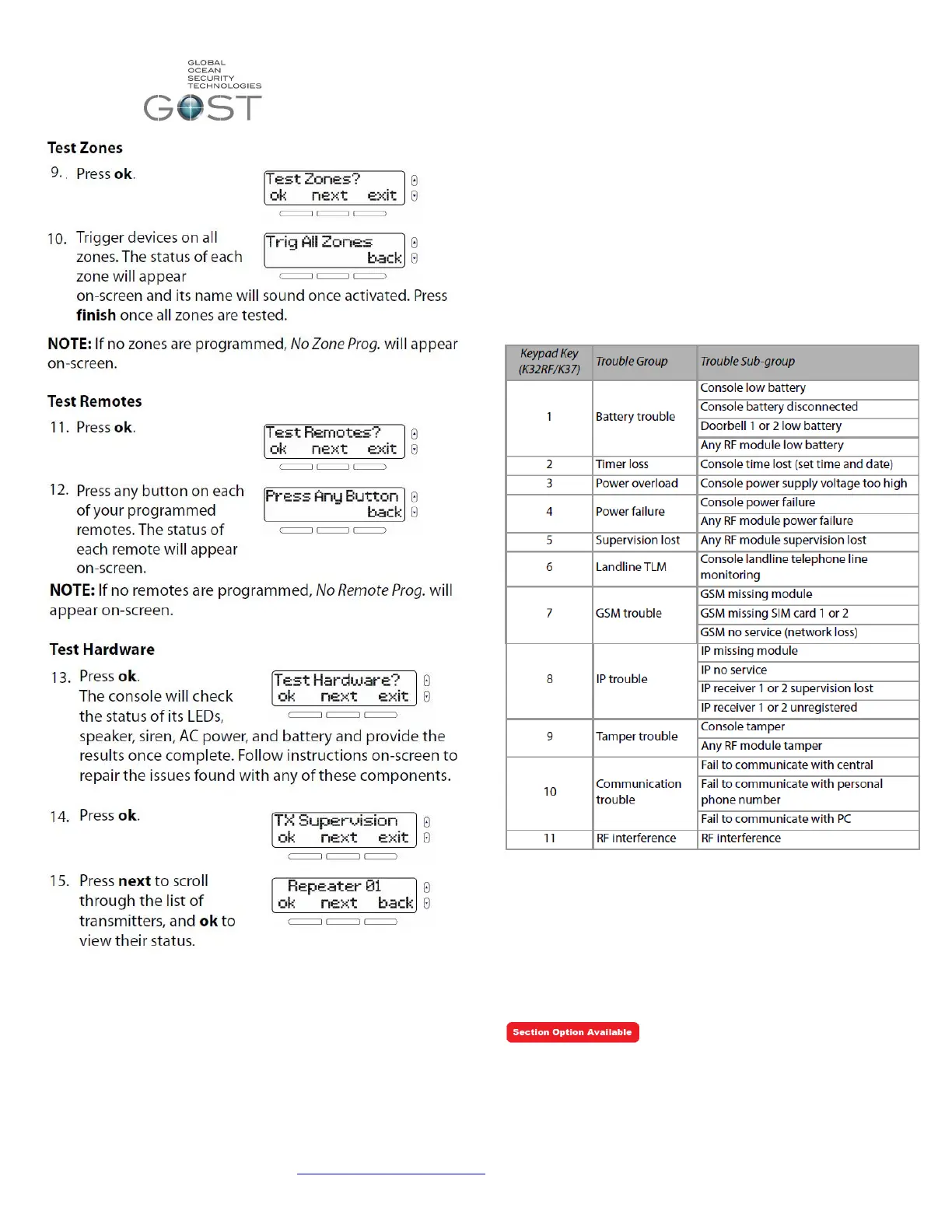
Trouble Display
When the GOST Phantom wants you to know
something is wrong, an “i” will appear on the screen
along with an audible beep. After viewing the
trouble by pressing the left menu action key, you
view the trouble, and press “ok” to stop the beeping.
See the Trouble Display area below in Table 2 to
see all of the possible troubles that could appear.
Table 2
Installer Quick Keys + Resets
This area of the system assists installers in resetting values
to factory defaults, cancelling communication, resetting
outputs, or hearing audible zone Open/Close soundings when
installing alone ( Table 3). In addition the table gives the
Section numbers to factory default the GOST Phantom
completely, the Master User Code Only, or the onboard
GSM/GPRS Module Only.
1. Press and hold 0.
2. Enter your installer code “1111”.
3. Press the required quick-key


 To Next Page
 Loading...