
 Need help?
Do you have a question about the gosund WB4 and is the answer not in the manual?
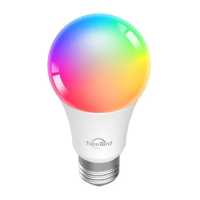
Details the product package contents, structure, and technical specifications of the LED smart bulb.
Instructions for safely installing the light bulb into its intended fixture.
Guide to downloading and installing the Gosund mobile application for device control.
Step-by-step instructions for connecting the device using the recommended Easy Mode.
Confirm light flashing status and select the correct 2.4GHz Wi-Fi network and password.
Complete the device setup by confirming configuration and tapping 'Completed' in Easy Mode.
Instructions on how to switch to AP Mode if Easy Mode connection fails.
Enter Wi-Fi password and confirm settings for AP Mode connection.
Connect phone to the device's Wi-Fi hotspot and complete the configuration.
Learn about adding devices and controlling their brightness, warmth, and color remotely.
Utilize timer schedules for automated control and view power consumption statistics.
Explore 16 million colors and eight scenes, adjusting saturation and brightness to suit your mood.
Enable the Gosund skill within the Alexa app and link your Gosund account for voice control.
Discover and control the smart bulb using specific voice commands via Amazon Echo.
Learn specific voice commands for the smart lamp and understand the product's 2-year warranty terms.
Official declaration that the product meets essential requirements of EU directives.
Information on the proper disposal of the product according to WEEE regulations.
 General
| Brand | gosund |
|---|---|
| Model | WB4 |
| Category | Lighting Equipment |
| Language | English |

 To Next Page
