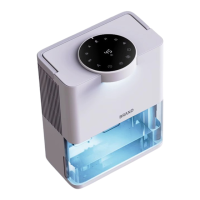
The water tank displays an mood light color, touch it once to turn off the light,
and touch it again to turn on the light. Loop in this way.
After selecting the value for 3 seconds, the display will automatically switch to
the humidity level, and the machine will enter the timer mode. The timing
function will be turned off until you touch the timing button with the buzzer
sounds and the display shows 00. The time setting choice is 0h-2h-4h-8h-12h-
18h-24h-36h-48h.
When turned on, the dehumidifier will operate in the strong dehumidification
mode.
Before use, please check whether all parts are complete and in good condition.
1. After the product is powered on, the buzzer will sound and the screen will display "real humidity", indicating that
the product is in standby mode.
2. Touch the “ ”switch button, the buzzer sounds, and the product starts to work. The default mode is strong
mode, white top light on, detect the presence of the HEPA filter, and lights up the purification icon. if it cannot
recognize that the HEPA filter, “ ”the purification icon will be off. “ ”the strong mode icon and“ ”the
mood light icon on the display screen are on, and the humidity detector starts to work after power on, the display
zone shows the current humidity, and the “ ” the humidity icon is on.
3. Touch the“ ”switch button, the buzzer sounds, and it switch from the strong mode to the sleeping mode.
“ ”the sleep icon will be on, the lights of other icons will be off, and the screen brightness will be reduced with
the ambient light turned off (Customer can touch the ambient light button to restart the light, and the
corresponding ambient light icon will light up).Touch the “ ”mode button again, the buzzer will sound, switch
from sleeping mode to the strong mode, “ ”the strong mode icon will light up, and the brightness will return to
normal setting. Loop in this way.
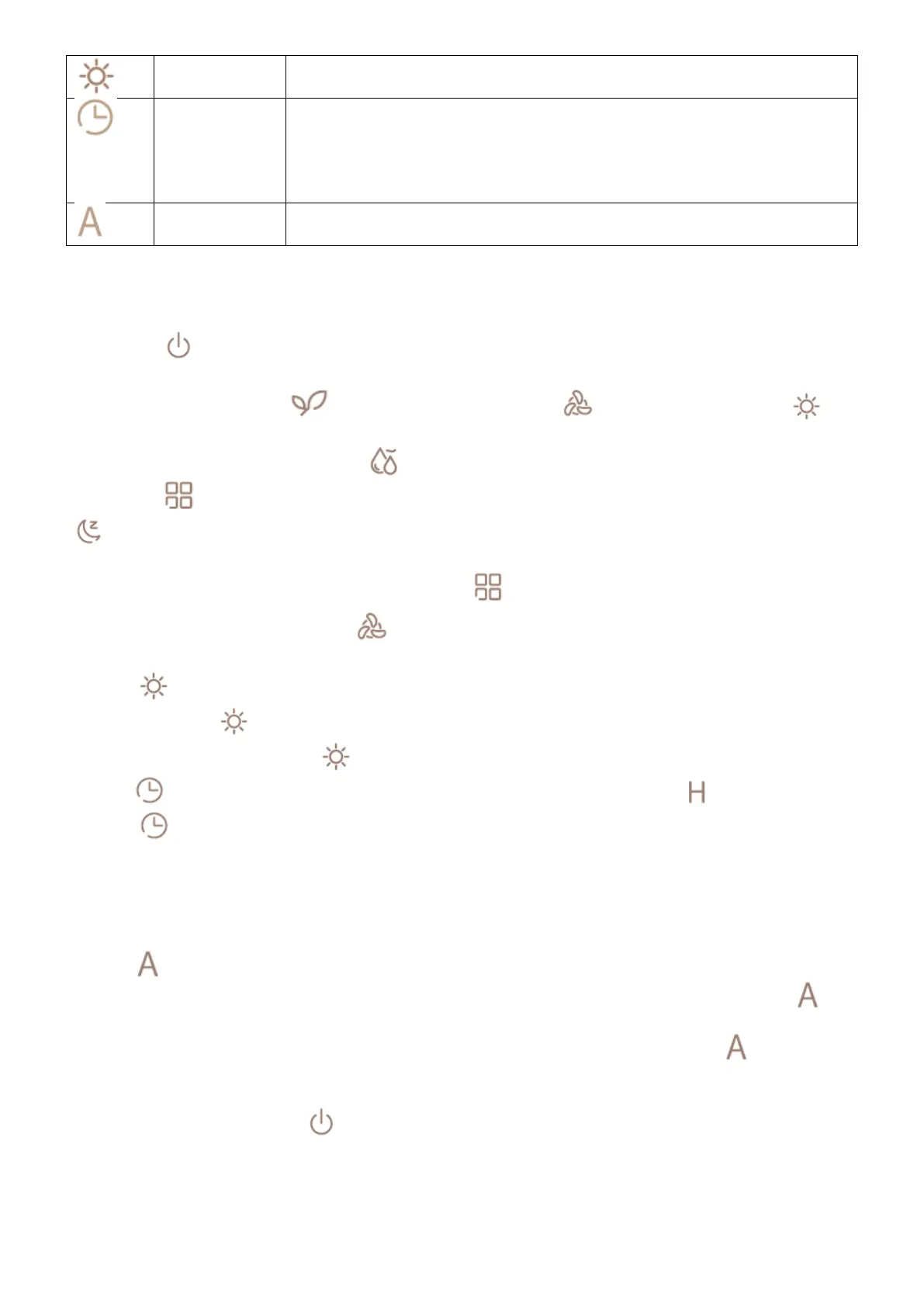
4. Touch “ ”the ambient light button, the water tank ambient light on but the top light will be off. Touch the
ambient light button“ ”again, , the ambient light of the water tank will be turned off but the top light will be
on. Touch the ambient light button “ ”the 3rd time, the tank ambient light and the top light are turned off.
5. Touch “ ”the timing button, the buzzer sounds, and the display zone shows 00, and “ ”the timing icon lights
up. Press “ ”the timing button again to turn on the 2hrs timing setting, the display shows 2h. Then it is the 4hrs
timing setting, 8hs timing setting, 12hs timing setting, 18hs timing setting.. Touch the timing button “ ”after turned
off at 18hs timing setting, the timing setting switch to 24 hours, then 36hrs timing setting, 48hrs timing setting, and
then timing function be turned off with the timer icon goes out. The display will automatically switch to humidity
display 3 seconds after the selected value, the machine will enter the timer mode, and the timer interval (0h- 2h-
4h-8h-12h-18h-24h-36h-48h).
6. Touch “ ” the automatic mode button, the buzzer sounds, and the automatic dehumidification mode is turned
on, the automatic icon will light up. The initial humidity value is 50, the display zone shows 50. Touch “ ” the
automatic mode button again, switch the setting to 55, and the display zone shows 55. After selecting the value for
3s, the display zone switches to the humidity level automatically , and the machine enters “ ”the automatic
mode. Humidity setting range (40-45-50-55-60-65-70). When the humidity reaches the setting level, the machine
will stop working and the display zone shows the current ambient humidity.
7. In any working state, touch the “ ”switch key, the product stops working and enters the shutdown state.
8. When the water tank is full, the product stops working and enters the standby state. The red light flashes and
the buzzer sounds. After pouring the water and put the water tank back, the machine needs to be restarted to
work.


 To Next Page
 Loading...