EasyManua.ls Logo

Goulds Aquavar Solo 2 - User Manual

Goulds Aquavar Solo 2
20 pages
Print Icon
To Next Page IconTo Next Page
Loading...
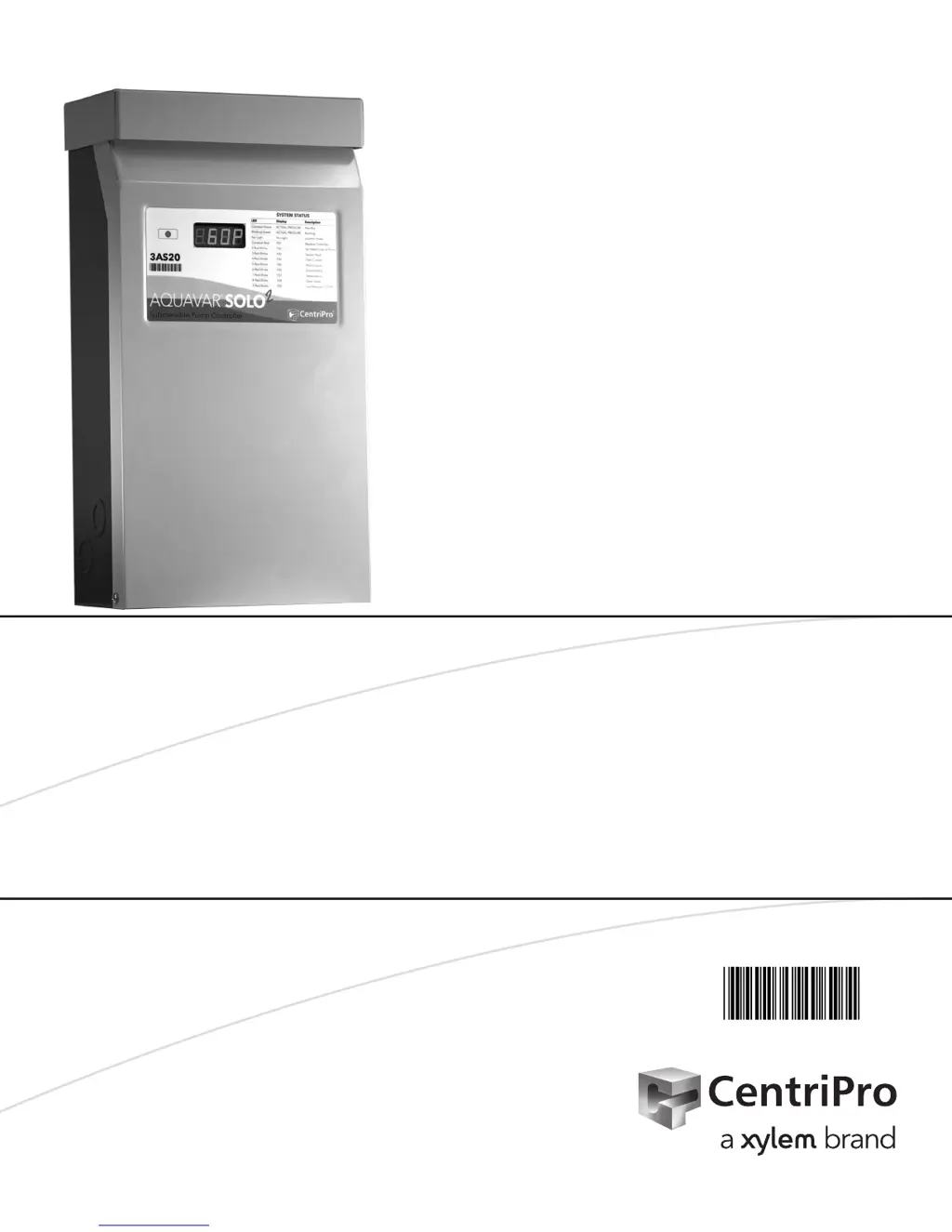
AQUAVAR
®
SOLO
2
CONSTANT PRESSURE CONTROLLER
INSTALLATION, OPERATION AND TROUBLESHOOTING MANUAL
INSTRUCTION MANUAL
IM260

Questions and Answers

Summary

Safety Instructions

Electrocution Hazard and Grounding

Warnings about electrocution hazards and essential grounding requirements.

Installation Quick Steps Overview

Step-by-step guide for controller installation from initial setup to final checks.

Ratings and Required Materials

Information on controller ratings and a list of necessary installation materials.

Typical Installation Guide

Controller Mounting Location and Environment

Guidance on selecting an appropriate outdoor location and mounting the controller.

Pump and Piping Installation Details

Controller Cover Access and Mounting

Instructions for safely opening the controller enclosure and mounting the unit.

Pump and Piping System Configuration

Guidelines for pump and piping connections, including valve placement and tank setup.

Motor Lead Splicing and Transducer Wiring

Procedures for making waterproof motor lead splices and wiring the pressure transducer.

Electrical Connections and Wiring Procedures

Input Power Connection and Safety

Details on input power connection, voltage requirements, and critical safety precautions.

Motor and Input Power Terminal Connections

Diagrams and instructions for connecting motor leads and input power to the terminal block.

Wire Sizing and Voltage Drop Calculations

User Interface Board (UIB) Components

UIB Layout for 1 AS and 3 AS Controllers

Overview of the User Interface Board layout and components for 1AS and 3AS controller models.

Sizing Controllers, Breakers, and Generators

Motor Service Factor Amperage Ratings

Installer Pre-Start Configuration Settings

Understanding Controller Display and Buttons

Explanation of the status indicator, parameter display, and how to operate controller buttons.

Adjusting System Pressure Setpoints

Step-by-step guide to adjust the desired system pressure setpoint using the controller's interface.

Performing a System Reset

Instructions on how to reset the controller to its original factory default settings.

Cycling Through Display Modes

How to use the MODE button to view output frequency, motor current, and fault history.

Basic Drive Settings and Protection Features

Motor Speed and Pump Stop Sensitivity Settings

Configuration of maximum motor speed and pump stop sensitivity for optimal operation.

Dry Well Protection and Low Pressure Cut-Off

Setting up dry well protection and low pressure cut-off to prevent pump damage.

Pressure Drop Settings and Motor Overload

Configuring pressure drop for pump restarts and setting motor overload protection dial.

Initial System Startup Procedure

Purging Air and Setting System Pressure

Essential steps to remove air from the system and establish the correct operating pressure.

System Operation and Input Control

Leak Detection and Motor Rotation Check

Methods for checking system leaks and verifying motor rotation for 3AS models.

Utilizing the Run;Stop Input

Connecting external switches or devices to the Run/Stop input for pump control.

Float Switch Integration Applications

Using float switches for automatic tank filling or managing constant pressure systems.

Advanced Menu Configuration Navigation

Advanced Menu: Dry Well Protection Configuration

Advanced Menu: Calibration and Relay Control

Pressure Transducer Sensor Zero Calibration

Procedure to calibrate the pressure transducer to 0 PSI for accurate system pressure readings.

Fault History Reset and Sensor Range Selection

Steps to reset logged fault history and select the appropriate pressure transducer range.

Configuring the Relay Output Functionality

Setting up the relay output to activate based on pump running status, faults, or system conditions.

Troubleshooting System Faults and Error Codes

Understanding Controller Status Indicators

Explanation of how status indicators and the parameter display show system conditions and errors.

Diagnosing No Light and Green Light Statuses

Troubleshooting steps for no light indicators and interpreting normal operation with green lights.

Resolving Controller Error Fault (F01)

Identifying and clearing the Controller Error (F01) fault code.

Troubleshooting Red Light Fault Codes (Continued)

Dry Well and Sensor Fault Diagnosis (F02, F03)

Causes and solutions for Dry Well (F02) and Sensor Fault (F03) errors, including potential causes.

Troubleshooting Red Light Fault Codes (Continued)

Diagnosing and Clearing Over Current Fault (F04)

Causes and solutions for Over Current (F04) faults, emphasizing motor overload settings.

Troubleshooting Red Light Fault Codes (Continued)

Resolving Short Circuit and Ground Faults (F05, F06)

Causes and solutions for Short Circuit (F05) and Ground Fault (F06) errors, including wiring checks.

Temperature Fault (F07) Troubleshooting

Causes and solutions for Temperature Fault (F07), including checking internal fan operation.

Troubleshooting Red Light Fault Codes (Continued)

Diagnosing Open Lead and Low Pressure Cut-Off Faults (F08, F09)

Causes and solutions for Open Lead (F08) and Low Pressure Cut-Off (F09) faults.

Motor Electrical Resistance Testing

Performing Insulation Resistance Tests

Procedure for testing motor insulation resistance to ground using an ohmmeter.

Motor Winding Resistance Interpretation

How to check motor winding resistance and interpret the results for troubleshooting.

CentriPro Limited Warranty Information

Goulds Aquavar Solo 2 Specifications

General IconGeneral
ModelAquavar Solo 2
Control TypeVariable Frequency Drive (VFD)
Communication ProtocolModbus RTU, BACnet MS/TP
Enclosure TypeNEMA 1
DisplayLCD
Protection FeaturesOverload, Overvoltage, Undervoltage, Short Circuit
Humidity5-95% non-condensing

Related product manuals