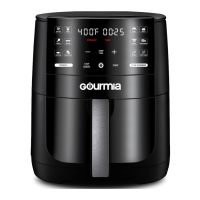
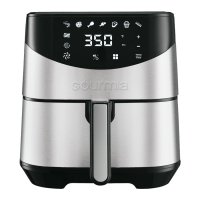
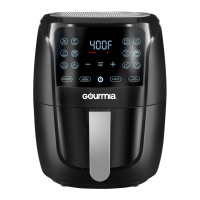
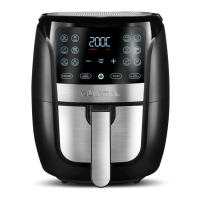
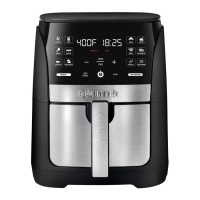
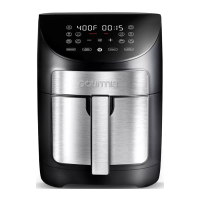
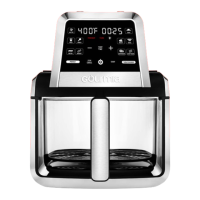
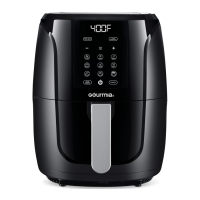
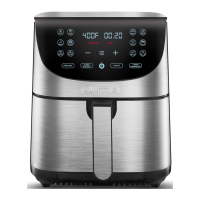
The Gourmia GAF616 is a 6 QT Digital Window Air Fryer designed to make healthy and delicious meals an everyday possibility. This appliance utilizes hot air circulation for cooking, offering a healthier alternative to traditional frying methods by requiring little to no oil.
Function Description:
The Gourmia GAF616 is a versatile kitchen appliance that air fries, bakes, roasts, broils, dehydrates, reheats, and keeps food warm. It features a digital control panel with a clear display that shows temperature and time settings. The air fryer comes with several pre-set cooking functions for common foods like air fry, fries, wings, bacon, seafood, and vegetables, as well as general cooking modes like bake, roast, broil, dehydrate, reheat, and keep warm.
A key feature of this air fryer is the ability to enable or disable preheating and a turn reminder. When preheat is enabled, the air fryer will display "PRE HEAT" and warm up before prompting the user to "Add Food." If the basket is not removed after preheating, the cook time will begin automatically. The turn reminder, when enabled, will alert the user halfway through the cook time with "turn Food," prompting them to turn or toss their food for even cooking. This feature is particularly useful for achieving crispy and evenly browned results.
The air fryer also includes a power icon to turn the device on and off, and a stop/cancel button to pause or stop cooking. Removing the basket during cooking will automatically pause the process, and returning it will resume cooking. The device can be muted by pressing and holding the stop/cancel button, though it will still beep for guided cooking prompts. Users can toggle between Fahrenheit and Celsius temperature displays by pressing and holding the "TEMP/TIME" button.
Important Technical Specifications:
- Capacity: 6 Quarts
- Power: 120V~ 60Hz 1500W
- Temperature Range (Air Fry Presets):
- Air Fry: 170-400°F (Default: 400°F)
- Fries: 170-400°F (Default: 400°F)
- Wings: 170-400°F (Default: 400°F)
- Bacon: 170-400°F (Default: 375°F)
- Seafood: 170-400°F (Default: 375°F)
- Vegetables: 170-400°F (Default: 400°F)
- Time Range (Air Fry Presets):
- Air Fry: 1-60min (Default: 20 min)
- Fries: 1-60min (Default: 15 min)
- Wings: 1-60min (Default: 25 min)
- Bacon: 1-60min (Default: 6 min)
- Seafood: 1-60min (Default: 10 min)
- Vegetables: 1-60min (Default: 20 min)
- Temperature Range (Cooking Presets):
- Bake: 170-400°F (Default: 325°F)
- Roast: 170-400°F (Default: 400°F)
- Broil: 400°F (Default: 400°F)
- Dehydrate: 90-170°F (Default: 135°F)
- Reheat: 170-400°F (Default: 300°F)
- Keep Warm: 150-200°F (Default: 200°F)
- Time Range (Cooking Presets):
- Bake: 1-120min (Default: 25 min)
- Roast: 1-120min (Default: 25 min)
- Broil: 1-60min (Default: 12 min)
- Dehydrate: 30min-24hr (Default: 8 hr)
- Reheat: 1-60min (Default: 15 min)
- Keep Warm: 1min-8hr (Default: 30 min)
- Safety Features: Polarized plug to reduce electric shock risk. Automatic shut-off at the end of cook time. Overheat protection (E3 error for NTC temperature over 500°F).
- Display Messages: "PRE HEAT," "Add Food," "turn Food," "End."
- Error Codes: E1 (NTC open circuit), E2 (NTC short circuit), E3 (NTC temperature over 500°F).
Usage Features:
The Gourmia GAF616 is designed for user-friendly operation.
- Setup: Place the air fryer on a stable, level, and heat-resistant surface. Insert the crisper tray into the bottom of the basket, ensuring the silicone bumpers remain on. Slide the basket into the air fryer and plug the unit into an outlet.
- Power On: Tap the power icon to turn on the air fryer.
- Selecting Settings: Choose a desired preset from the control panel. The display will show the preset's default temperature and time. These settings can be adjusted using the plus and minus icons, and users can toggle between adjusting temperature or time by tapping the "TEMP/TIME" button.
- Preheat and Turn Reminder: Preheat and Turn Reminder features can be enabled or disabled before starting cooking by tapping the respective buttons. These features are on by default for select presets.
- Cooking Process:
- If preheat is enabled, the air fryer will display "PRE HEAT" and begin warming up. Once preheated, it will beep and display "Add Food." The basket should be carefully removed, food placed inside, and then returned to the air fryer to automatically start cooking. If the basket is not removed, cooking will commence regardless.
- If preheat is disabled, simply remove the basket, place food inside, and return it to the air fryer, then tap "START" to begin cooking.
- Turn Reminder: If the turn reminder is enabled, the air fryer will beep and display "turn Food" halfway through the cook time. Remove the basket, turn or toss the food using non-metal tongs, and return the basket to automatically resume cooking.
- End of Cooktime: When the cook time elapses, the air fryer will beep and display "End." Carefully remove the basket and place it on a heat-resistant surface. Remove food using non-metal tongs. Avoid turning the basket upside down to prevent excess oil from dripping onto food or the crisper tray from falling out.
- Pausing/Stopping: Cooking can be paused by tapping "STOP/CANCEL" once or by removing the basket. To resume, tap "START" or return the basket. To cancel cooking entirely, tap "STOP/CANCEL" twice.
- Oil Spray: For a crispier finish, it is recommended to use regular cooking oil in an oil mister or spray bottle, as cooking sprays may damage the accessories.
- Cooking Tips:
- Check food for doneness a few minutes before the cook time ends.
- Ensure raw proteins reach food-safe temperatures.
- Air fryers perform similarly to ovens; follow oven instructions on packaging or recipes.
- Smaller ingredients may require shorter cook times.
- Preheating generally yields better results.
- Only preheat before the first batch when cooking multiple batches.
- Tossing fresh potatoes with 1 tablespoon of oil can create a crispy exterior. Air fry immediately after adding oil.
- Avoid cooking foods that produce a large amount of grease.
- Use a baking pan or oven-safe dish in the basket for cakes, quiches, or fragile ingredients.
Maintenance Features:
Proper cleaning and storage are essential for the longevity and safe operation of the Gourmia GAF616.
- Cleaning Frequency: Clean the air fryer after every use.
- Before Cleaning: Unplug the air fryer from the outlet and allow it to cool down completely. Removing the basket can help it cool quicker.
- Basket and Crisper Tray: These parts can be cleaned in the dishwasher's top rack or by hand with hot water, dish soap, and a non-abrasive sponge. If residue is stuck, fill the basket with hot water and dish soap and let it soak.
- Exterior: Wipe the outside of the air fryer with a moist cloth.
- Interior: Clean the inside chambers with hot water, dish soap, and a cleaning brush to remove any food residue.
- Drying: Ensure all parts are completely dry before reassembling or storing.
- Warnings:
- NEVER immerse the cord, plug, or air fryer in water or any other liquid.
- DO NOT use metal kitchen utensils or abrasive cleaning materials on the basket or crisper tray, as this can damage the nonstick coating.
- Storage: Unplug the appliance, ensure all parts are clean and dry, and store it in a clean, dry place.
The Gourmia GAF616 is a robust and user-friendly air fryer designed to simplify healthy cooking with its intuitive controls, versatile presets, and helpful reminders.

 Need help?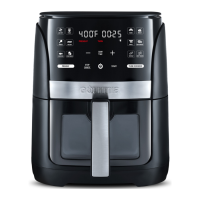

 To Next Page
 General