EasyManua.ls Logo

Govee H7142 - User Manual

Govee H7142
24 pages
Print Icon
To Next Page IconTo Next Page
Loading...
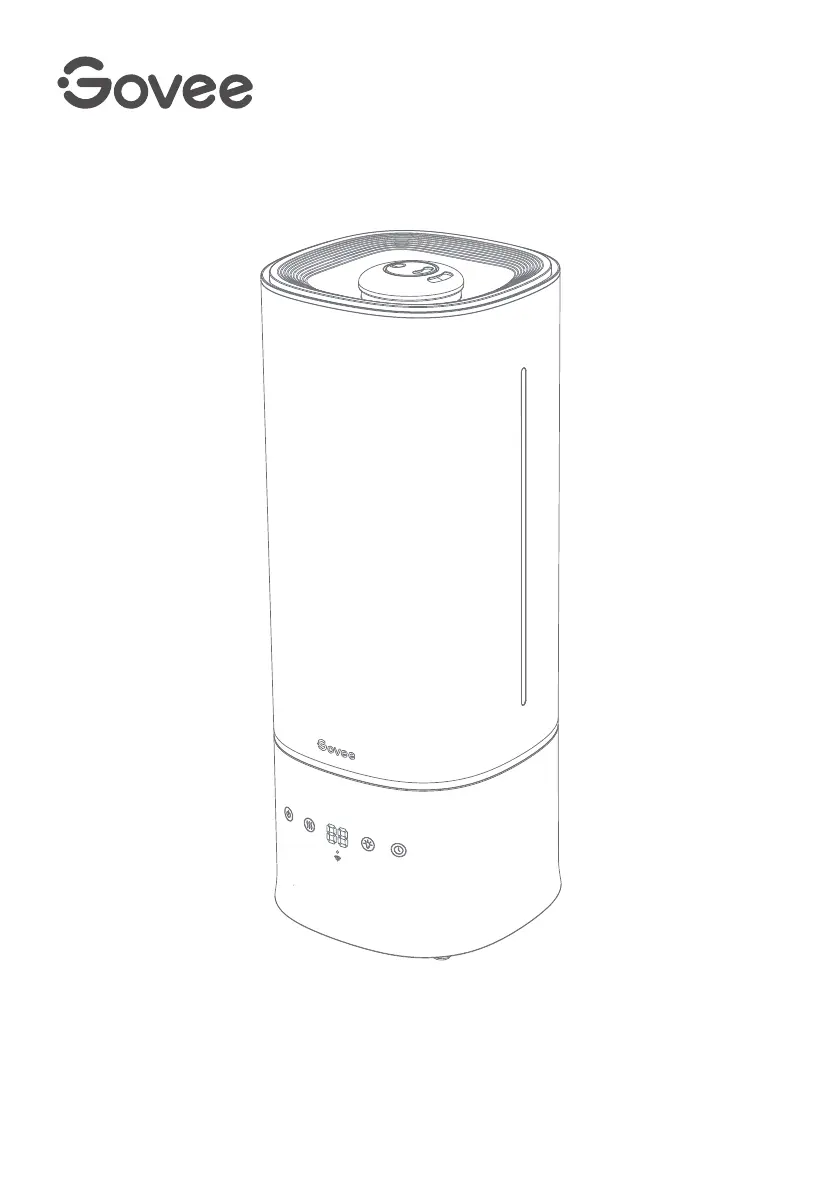
Govee Smart Humidifier
User Manual
Model
:
H7142

Questions and Answers

  • K
    Kathleen ButlerSep 23, 2025
    What to do if the night light on my Govee H7142 Humidifier cannot be turned on or adjusted via the app?
    • T
      Timothy MarshSep 23, 2025
      If the night light on your Govee Humidifier cannot be turned on or adjusted via the app: * Check whether the app is connected to the humidifier. * If the night light still cannot be operated when the app and the humidifier are connected, please contact Govee Customer Support.
  • J
    Jennifer MillerAug 23, 2025
    Why does my Govee Humidifier not turn on or power off frequently?
    • J
      John GardnerAug 23, 2025
      If your Govee Humidifier isn't turning on or is powering off frequently: * Ensure the power cable is securely connected and press the Power Button again. * Also, check if the humidifier is in Auto Mode, as it may automatically turn off if the humidity level is above the target level.
  • J
    Jamie HudsonAug 25, 2025
    What to do if my Govee H7142 is leaking water?
    • B
      Brandon Livingston Jr.Aug 26, 2025
      Avoid running the humidifier in a room with over 60% relative humidity and do not shake the humidifier. Make sure to place the humidifier on a flat, level surface. Check the water tank for leaks; if there are leaks, contact Govee Customer Support.
  • V
    vkirkAug 27, 2025
    Why is the power indicator flashing red on my Govee H7142 Humidifier?
    • S
      Sean MaddoxAug 27, 2025
      The water tank is not properly positioned. Please place the water tank correctly on the base.
  • R
    Roberto FullerAug 27, 2025
    Why is there white dust around my Govee Humidifier?
    • R
      Rebecca BensonAug 27, 2025
      The white dust appears because of using water with high mineral content. It is recommended to use purified or distilled water to fill the humidifier. Also, ensure the silicone sealing ring around the water outlet valve is secure, and clean the water tank and base chamber.
  • P
    Peter GarzaSep 18, 2025
    Why does the essential oil in my Govee H7142 Humidifier have little or no smell?
    • J
      Jessica WatsonSep 18, 2025
      If the essential oil in your Govee Humidifier has little to no smell, try adding more essential oil. For best results, use pure essential oil.
  • J
    James YuSep 15, 2025
    Why does my Govee H7142 make a loud or unusual noise?
    • S
      Sally PalmerSep 15, 2025
      If your Govee Humidifier is making loud or unusual noises: * Try setting the mist level to a lower setting. * If the issue persists, the humidifier may be malfunctioning. Stop using it and contact Govee Customer Support.
  • R
    Richard MannSep 16, 2025
    Why is the humidity shown on my Govee H7142 display or app not accurate?
    • K
      Krystal CordovaSep 16, 2025
      If the humidity shown on the display or in the app isn't accurate: * The space where you're using the humidifier might be larger than recommended. Use it in a space less than 602ft²/56㎡. * Also, the humidity sensor at the bottom of the humidifier may be damp. Turn off the humidifier and dry the base.
  • T
    teresa64Sep 6, 2025
    Why is the power indicator light on my Govee H7142 Humidifier solid red?
    • B
      Brittney SummersSep 7, 2025
      The tank is short of water. Please refill the tank.
  • D
    Dawn RobertsonSep 4, 2025
    Why does my Govee H7142 Humidifier make a loud noise?
    • R
      Raymond CastilloSep 4, 2025
      Try setting the mist level to a lower setting. If the humidifier continues to make unusual noises, it may be malfunctioning. Stop using it and contact Govee Customer Support.

Summary

Safety Instructions

General Safety

General safety precautions for using the humidifier.

Power Cord & Plug Safety

Safety guidelines related to the power cord and plug.

Leak & Electric Shock Risks

Precautions to prevent leaks and electric shock.

Humidifier Operation

Controls Overview

Explanation of the humidifier's on-device buttons and functions.

Display & Indicators

Memory Function

Initial Setup

Using Your Smart Humidifier

App-Controlled Functions

Key functions controllable via the Govee Home App.

Advanced Humidifier Features

Connectivity & Aroma

Care & Maintenance

Cleaning the Humidifier

Steps for cleaning the humidifier after usage or before storage.

Descaling the Humidifier

Aroma Pad & Storage

Troubleshooting

App & Connectivity Issues

Regulatory & Support

Govee H7142 Specifications

General IconGeneral
ModelH7142
RuntimeUp to 45 Hours
Voice Assistant CompatibilityAmazon Alexa, Google Assistant
Voice ControlYes
Auto ModeYes
Night ModeYes
Waterless Auto-OffYes
Auto Shut-OffYes
MaterialABS
ColorWhite
TypeUltrasonic Cool Mist
Control MethodApp
HumidistatYes

Related product manuals