WALKING PAD
HOME FITNESS
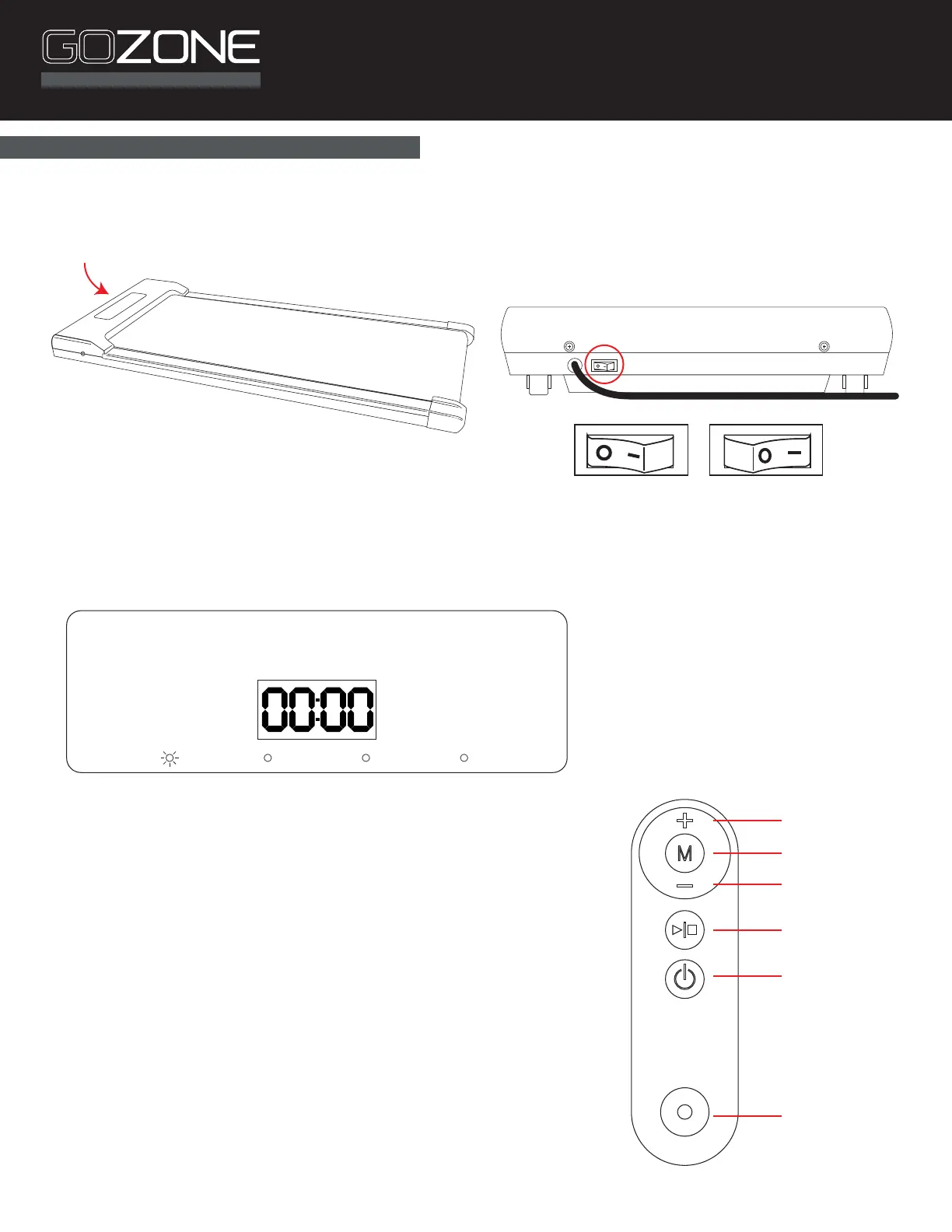
Window and Button Description:
LED window displays the following functions:
• Time
• Speed
• Distance
• Calories
Window will change display every 5 seconds and cycle through the
following: Time, Speed, Distance (DIST), Calories (CAL)
Speed: Display speed range: 1-6mph (1.6-10km/h)
Remote control button functions:
Start Key / Stop button
Speed +/- button (while running)
To start running or stop the treadmill, press the start/stop key in the
remote control until you hear a beep
Press Speed + to increase speed while running
Press Speed – to reduce speed while running
*Requires CR20032 battery, included.
User Instructions
Power on/o
Lanyard hole
Start/Stop
Speed –
Speed +
Mode
TIME SPEED DIST CAL
Main Power Switch
OFF ON
Turn on the main power switch located at the end of the walking pad, on the rear panel of the motor cover.


 To Next Page