Need help?
Do you have a question about the GPO Ambassador and is the answer not in the manual?
How to select Turntable, USB, Aux-in, or Bluetooth modes using the mode select button.
Instructions for powering on, selecting mode, setting speed, and playback.
Steps for selecting Aux-in mode and playing audio via the aux-in jack.
Steps for selecting USB mode, connecting the drive, and playback.
Steps for selecting Bluetooth mode and syncing with external speakers/headphones.
Steps for selecting record mode, inserting USB, and initiating recording.
Explains the meaning of Red, Green, and Blue battery indicator lights.
Detailed steps for removing the old stylus and installing a new one.
 General
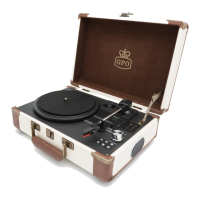
| Type | Belt-drive audio turntable |
|---|---|
| Autostop | Yes |
| Operation | Semi Automatic |
| Product color | Brown, Cream colour |
| Cartridge type | Ceramic stereo cartridge |
| Turntable speeds | 33, 45, 78 RPM |
| USB version | 2.0 |
| Headphone outputs | 1 |
| RMS rated power | 1.5 W |
| Number of speakers | 2 |
| Power supply type | Battery |
 Weight and Dimensions
| Depth | 275 mm |
|---|---|
| Width | 355 mm |
| Height | 135 mm |
| Weight | 2500 g |

 To Next Page