TROUBLESHOOTING GUIDE / GUÍA DE RESOLUCIÓN DE PROBLEMAS
/ EN CAS DE PROBLÈMES
PROBLEM SOLUTION
POSSIBLE CAUSE
PROBLEMA SOLUCIÓN
CAUSA POSIBLE
PROBLÈME SOLUTION
CAUSE PROBABLE
Printed in China / Imprimido en China /
Imprimé en Chine
No sound is heard.
GENERAL
Press the PLAY/PAUSE
Button.
VOLUME Control is set
to minimum.
Adjust the VOLUME
Control.
Disc is inserted but
tracks are not displayed.
CD PLAYER
Disc is inserted upside-
down.
Insert disc correctly
(label up).
Disc is seriously warped.
Use a new disc
Moisture has formed
inside the CD deck.
Take out the CD and leave
the CD player open for
about an hour to dry.
Disc is dirty.
Wipe clean with soft
Cloth.
Certains sections of the
disc are not played
normally.
Disc is scratched.
Skip over scratched
sections; otherwise,
replace the disc.
Disc is dirty.
Wipe clean with soft cloth.
Disc is scratched.
No hay sonido.
GENERAL
El aparato está apagado Cambie las pilas
El botón VOLUME está en
mínimo
Ajuste el botón VOLUME.
Ha insertado el disco
pero no puede ver los
temas en el visualizador
REPRODUCTOR CD
Disco colocado al
revés.
Coloque el disco
correctamente (etiqueta
hacia arriba)
Disco doblado.
Coloque un nuevo disco.
Ha entrado humedad en
la platina del disco
compacto.
Saque el disco compacto
y deje el aparato abierto
durante una hora para
que se seque.
Disco sucio.
Límpielo con un paño
suave.
El aparato no
reproduce
ciertas secciones del
disco correctamente.
Disco rayado.
Salte las secciones
rayadas o cambie el disco
Disco sucio.
Límpielo con un paño
suave.
Disco rayado..
Coloque un nuevo disco.
Il n’y a pas de son.
GENERAL
L’appareil est éteint. Changez les piles.
Le bouton VOLUME est sur MIN. Réglez le bouton VOLUME.
Le numéro de mélodie
n’est pas affiché quand
le disque est en place.
LECTEUR CD
Le disque a été mis à
l’envers.
Insérez le disque
correctement (étiquette
vers le haut).
Disque déformé.
Insérez un nouveau
disque.
Ilyadel’humidité à
l’intérieur de la platine
du disque compact.
Enlevez le disque compact
et laissez l’appareil ouvert
pendant une heure pour
que l’humidité s’évapore
Disque sale. Nettoyez-le avec un
chiffon doux.
L’appareil ne lit pas
certaines sections du
disque correctement.
Disque a des
égratignures.
Sautez les sections
avec des égratignures
ou changez le disque.
Disque sale. Nettoyez avec un chiffon
doux.
Disque a des
égratignures.
Insérez un nouveau
disque.
Use a new disc.
Power is not on. Replace the batteries.
Presione el botón
PLAY/PAUSE.
Appuyez sur le bouton
PLAY/PAUSE.
CARE AND MAINTENANCE / CUIDADO Y MANTENIMIENTO
/ SOINS ET ENTRETIEN
GENERAL
/ GENERAL
/ GÉNÉRALE
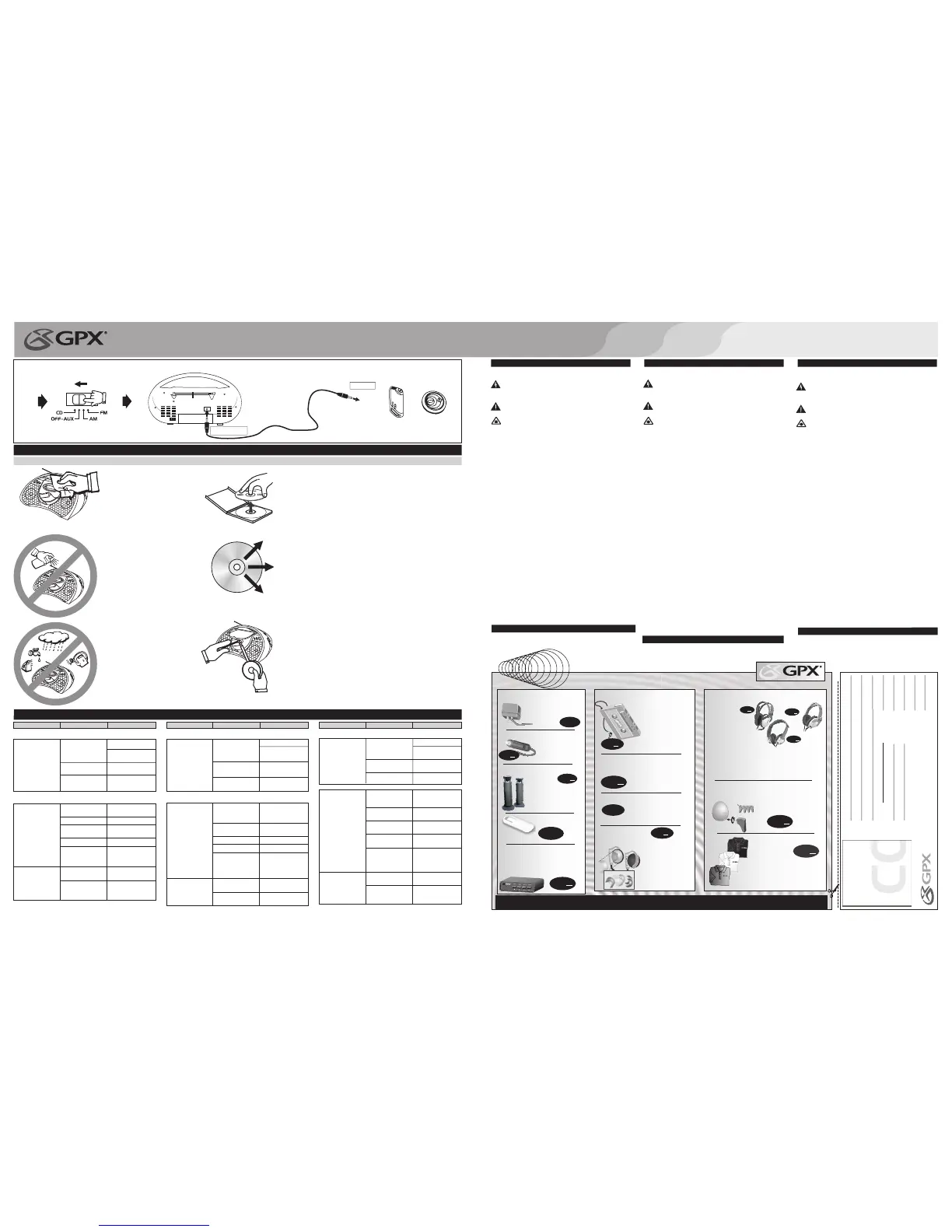
• Use a soft, clean cloth moistened
with plain, luke-warm water to
clean theexterior ofthe unit.
• Never use solvents such as
benzene or other strong chemical
cleaners since these could damage
the unit'sfinish.
• It is important that no liquid
reaches theinside ofthe unit.
Utilice un paño suave ligeramente
humedecido en agua tibia para limpiar
el exterior dela unidad.
No use ningún solvente como benzole u
otros limpiadores químicos fuertes, ya
que pueden dañar el acabado de la
unidad.
No permita que entre líquido dentro de
la unidad.
Utilisez unchiffon doux et propre imbibéd'eau
tiède pour nettoyerl'extérieurde l'appareil.
N'utilisez jamais des solvants comme le
benzène ou d'autres produits de nettoyage
chimiques puissants car ils peuvent
endommager l'apprêt del'appareil.
Ne versez pas du liquide à l'intérieur de
l'appareil.
CHEMICAL
COMPACT DISCS
/ DISCOS COMPACTOS
/ DISQUES COMPACTS
• Remove the CDfromthe casebyholding itatthe edges whilepressing the centerholelightly.
• Do nottouch theshiny surface of theCD or bendtheCD.
• Place theCD intothe tray withthe label facingup.
• A dirty CD maynot playcorrectly.Ifa CDbecomes dirty,wipe it witha soft cloth ina straight line
from center toedge.
• A dirty lens will cause soundskipping and, if the lens is very dirty,the CD may not work. Open
the CD door and clean using a camera lens brush/blower. Blow on the lens a couple of times
and wipe thelenswith thebrush to removedust. Blow onthe lens oncemore.
• If thelens isstill dirty,use acotton swab. Start inthe middleof thelens andwork to the outside
edge.
• Avoid exposure todirectsun light,temperatureextremes, andmoisture.
CAUTION: Do not use any solvent (eg: record sprays, thinner, benzene, etc.) to clean a CD.
TomeelCD deloscostados ypresione ligeramente enel agujero delcentro cuando retireel CD
de su caja.
Prenez le CDparles côtésetpar le troudu centre pourretirercelui-ci desaboîte.
No toque lasuperficie brillante delCD o dobleel mismo.
Ne touchez paslapartie reluisantedu CD etne le pliezpas.
Coloque el CDenlas bandejaconla etiqueta haciaarriba.
Mettez le CDdansle plateauavecl'étiquette ver lehaut.
Un CD suciono funcionarácorrectamente. Si elCD seensucia, límpielo conun pañosuaveen
línea derecha, desdeelcentro yhacialos costados.
Un CD sale nesera paslu correctement.Si leCD estsale, nettoyez-leavec un chiffon doux en
procédant du centreversl'extérieur.
Los objetivos suciospueden causarsonido irregular y, si los objetivosestán muysucios, el CD
puede no funcionar. Abra la tapa del compartimiento del disco y limpie los objetivos con un
cepillo paraobjetivos. Sople los objetivos varias veces ylímpielos conel cepillo para remover
la suciedad.
Si les optiques sont sales, le son sera irrégulier et si les optiques sont trop sales, le disque
compact ne fonctionnerapas. Ouvrezle couvercledu disque compactet nettoyezles optiques
avec une brosse. Soufflez les optiques plusieurs fois et utilisez la brosse pour nettoyer la
poussière.
Si no puede limpiar los objetivos con un cepillo, utilice un palillo de cabeza de algodón.
Comience en elmediode losobjetivosy continue hacialos costados.
Si vousne pouvezpas nettoyerles optiquesavec unebrosse, utilisezun coton-tige.Passez-le
doucement sur lesoptiquesen procédantducentre vers l'extérieur.
Evite la exposicióndirectaa laluzdel sol, alas temperaturas extremasya lahumedad.
N'exposez pas leCDdirectement ausoleil,aux températures extrêmeset à l'humidité.
ATENCIÓN: No utilice ningún solvente (ej.: aerosoles para discos, diluyentes, benzole, etc.) para
limpiar un CD.
ATTENTION:N'utilisez pas dessolvants (ex: aérosols,diluants,benzène, etc.)pour nettoyerun CD.
1
.
C
a
ly
p
so
C
o
lle
c
tio
n
2
.
E
m
e
ra
ld
M
ist
C
o
lle
c
tio
n
3
.
B:i-2
C
o
lle
c
tio
n
4
.
S
o
ft
M
e
ta
llic
s
5
.
O
u
td
o
o
r
C
o
lle
c
tio
n
6
.
Ka
ra
o
k
e
7
.
M
e
d
ia
C
e
n
te
r
8
.
Ro
o
m
m
a
te
s
9
.
H
o
m
e
&G
o
1
0
.
Wa
lk
a
ro
u
n
d
s
INSTRUCTION MANUAL
MANUAL DE INSTRUCCIONES
/MODED'EMPLOI
MODEL#
BCD2306DP
READ THIS PAGE FIRST BEFORE OPERATINGTHE UNIT
TO PREVENT FIRE OR SHOCK HAZARDS, DO NOT EXPOSE THIS UNIT TO RAIN OR
MOISTURE.
This symbol is intended to alert the user to the presence of impor tant operating
and maintenance (servicing) instructions in the literature accompanying the
appliance.
Any use of the controls or an adjustment to the procedures other than those specified
herein may resultin hazardousradiation.
Changes or modifications to this unit not expressly approved by the party
responsible for compliancecould voidtheuser's authorityto operatetheequipment.
This class "B" digital apparatus complies with Canadian ICES-003.
This equipmenthas beentested andfoundto complywith
the limits for a Class B digital device, pursuant to Part 15 of the FCC Rules.
These limits are designed to
provide reasonable protection against harmful interference in a residential installation.
This equipment generates, uses, and can radiate radio frequency energy and, if not
installed andused inaccordancewith theinstructions, maycause harmfulinterference to
radio communications.however, thereis no guaranteethat interference willnot occurin a
particular installation. If this equipment does cause harmful interference to radio or
television reception, which can be determined by turning the equipment off and on, the
user is encouraged to try to correct the interference by one or more of the following
measures:
Reorientor relocate thereceiving antenna.
• Increase the separationbetween theequipment and receiver.
• Connect the equipment into an outlet on a circuit different from that to which the
receiver is connected.
• Consult the dealeror anexperienced radio/TV technicianfor help.
TO REDUCE THE RISK OF ELECTRIC SHOCK, DO NOT REMOVE COVER (OR BACK).
THERE ARENO USER-SERVICEABLE PARTS INSIDE. PLEASE REFER ANYSERVICING
TO QUALIFIED SERVICEPERSONNEL.
WARNING:
NOTE:
This symbol,located onback or bottom of theunit, isintended toalert the user to
the presence of uninsulated “dangerous voltage” within the product's enclosure
that may be of sufficient magnitude to constitute a risk of electric shock to
persons.
This product utilizesa Class 1laser to read CompactDiscs. This laser Compact
Disc Playeris equippedwith safetyswitches to avoidexposure whenthe CDdoor
is open andthe safety interlocks are defeated. Invisible laser radiation ispresent
when the CD Player's lid is open and the system's interlock has failed or been
defeated. It is very important that you avoid direct exposure to the laser beam at
all times. Please donot attemptto defeat orbypass thesafety switches.
TO PREVENT ELECTRIC SHOCK, MATCH WIDE BLADE OF PLUG TO WIDE
SLOT, FULLY INSERT.
Receiver
complies with Part 15 of FCC rules when manufactured.
•
CAUTION:
This device
complies with Part 15 of the FCC Rules. Operation is subject to the folllowing
conditions: 1)The device may not cause harmful interference, and 2) This
device must accept any interference received, including interference that
cause undesired operation.
PARA REDUCIR EL RIESGO DE INCENDIOS O DE SACUDIDAS ELÉCTRICAS, NO
EXPONGA ESTE APARATOA LALLUVIA OALA HUMEDAD.
Este símbolo indica la presencia de instrucciones de operación y de mantenimiento
(reparación) enelmaterial impresoqueacompaña elaparato.
Usted puederecibir unaradiación peligrosasi utiliza losbotones oaplica losprocedimientos
de maneradiferentea laqueha sidoindicada eneste documento.
PARA REDUCIREL RIESGO DE SACUDIDAS ELÉCTRICAS, NO RETIRE LA TAPA (O LA PARTE
POSTERIOR) DEL APARATO. DENTRO DEL APARATO NO HAY PARTES QUE PUEDAN SER
REPARADASPOR EL USUARIO. LOS TRABAJOS DE REPARACIÓN DEBEN SER EFECTUADOS
POR PERSONAL DESERVICIO CALIFICADO.
El usuario puede perder el derecho de utilizar este aparato si efectua
cambios o modificaciones que no han sido expresamente aprobados por la autoridad
responsable.
Esta clase "B" de aparatos digital se conforma con ICES-003 Canadiense.
Este equipo ha
sido probado y ha demostrado cumplir con los límites establecidos para los aparatos
digitales de Clase B, de acuerdo con el Apartado 15 de las Normas de la FCC.
Estos límites han
sido designados para proveer una protección razonable contra las interferencias
perjudiciales en una instalación residencial. Este equipo genera, utiliza y puede irradiar
energía radioeléctrica y, si no se instala y utiliza de acuerdo con las instrucciones,
puede causar interferencias perjudiciales en las radiocomunicaciones. Sin embargo,
no existe garantía de que no se produzcan interferencias en una instalación en
particular. Si este aparato causa interferencias en la recepción de radio o de televisión,
lo que puede determinarse desconectando y conectando el aparato, se recomienda
tratar de corregir la interferencia de la siguiente manera:
• Aumente la separaciónentre elequipo y elreceptor.
• Conecte elequipo a una tomadecorriente cuyocircuitono seaelmismo queaquél
al que haconectado elreceptor.
• Consulte al concesionarioo a un técnicode radio/televisióncon experiencia.
ADVERTENCIA:
NOTA:
Vuelvaa orientar laantena ocambie su lugarde instalación.
Este símbolo, localizado detrás o en la par te de abajo de la unidad, indica la
presencia de "tensionespeligrosas" sin aislaren el interiorde la cajadel producto
que puedenser de suficientemagnitud como paraconstituir un riesgode sacudida
eléctrica para laspersonas.
Este producto utiliza un láser de Clase 1 para reproducir discos compactos. Este
reproductor de discos compactos láser posee interruptores de seguridad que
impiden la exposicióna los rayosláser cuando lapuerta del disco compacto está
abierta y cuando los dispositivos de seguridad han sido anulados. Hay radiación
láser invisible cuando la tapadel reproductor dediscos compactosestá abierta y
cuando elsistema deseguridad falla oes anulado.Evite laexposición directaalos
rayos láser.Por favornointente anular oeludir losinterruptores deseguridad.
•
AVISO: PARA EVITAR UNA DESCARGA ELÉCTRICA, INTRODUZCA LA HOJA MÁS
ANCHA DEL ENCHUFE EN LA RANURA CORRESPONDIENTE DE LA TOMA Y EMPUJE
HASTAEL FONDO.
El
receptor se forma de laparte 15 en las reqlas FCC cuando fabricado.
Este
dispositivo se conforma con la parte15 de lasreglas de laFCC. La operación
está conforme alas condiciones siguientes:
1) El dispositivo puede que no cause interferencia dañosa, y
2) Este dispositivo debe aceptar cualquier interferencia recibida,
incluyendo interferencia que cause la operación indeseada.
POUR PRÉVENIRTOUT RISQUE D'INCENDIE OUD'ÉLECTROCUTION,NE PASEXPOSER
CET APPAREILÀLA PLUIEOU ÀL'HUMIDITÉ.
Ce symbole est destiné à avertir l'usager de la présence d'instructions
importantes pour le fonctionnement et l'entretien (réparation) de l'appareil, dans
la brochure quiaccompagne celui-ci.
Vous pourriez subir des radiations dangereuses si vous utilisez les commandes ou si
vous appliquez lesprocédures d'une manièredifférente de celleindiquée dans cemode
d'emploi.
POUR PRÉVENIRTOUT RISQUED'ÉLECTROCUTION, NERETIREZ PAS LECOUVERCLE
(OU LA PARTIE POSTÉRIEURE) DE L'APPAREIL. VOUS NE DEVEZ PAS RÉPARER DES
PIÈCES SE TROUVANT À L' INTÉRIEUR DE L'APPAREIL. LES RÉPARATIONS DOIVENT
ÊTRE EFFECTUÉES PAR DUPERSONNEL QUALIFIÉ.
Tout changement ou modification apporté(e) à cet appareil sans
autorisation, peut entraînerl’interdiction d’utilisationde ce dernier.
Cet appareilnumérique dela classe"B" estconforme ála norme NMB-003du
Canada.
Cet appareil a
été testé et il a été constaté qu'il respecte les limites fixées pour les appareils
numériques de la Catégorie B, par la Section 15 des Normes FCC.
Ces limites ont été fixées
afin de fournir une protection raisonnable contre les interférences nocives dans un
logement résidentiel. Cet appareil produit, utilise et peut émettre de l'énergie
radioélectrique et, s'il n'est pas installé et utilisé suivant le mode d'emploi, il peut
produire des interférences nocives sur les radiocommunications. Cependant, il peut y
avoir des interférences nocives dans des logements particuliers. Si l'appareil produit
des interférences sur la réception radio ou télévision (ce qu'on peut constater
lorsqu'on débranche ou lorsqu'on raccorde celui-ci), nous vous recommandons de
corriger ce problème de la manière suivante:
• Séparez davantage l'appareildu récepteur.
• Branchez l'appareil à une prise de courant faisant partie d'un circuit différent de
celui auquel estbranché lerécepteur.
• Consultez le vendeurou untechnicien de radio/télévisionexpérimenté.
AVERTISSEMENT:
REMARQUE:
Réorientez l'antenne ouchangez l'appareilde place.
Ce symbole,situé dérrière ou dessous de l' appareil, est destiné à avertir l'usager
de laprésence d'une"tension dangereuse"non isolée dansle boîtierde l'appareil,
dont l'intensité pourrait être suffisante pour constituer un risque d' électrocution
pour les personnes.
Ce produit lit des disquescompacts àl'aide d' unlaser deCatégorie 1. Celecteur
de disques compacts possède des interrupteurs de sécurité qui protègent les
individus
contre
les rayons laser lorsque laporte dudisque compact est ouverte
et lorsque les dispositifs de sécurité sont annulés. Ce produit émet des rayons
laser lorsque le couvercle du compartiment à disques est ouvert et lorsque le
système de sécurité est en panne ou est annulé. Évitez l'exposition directe aux
rayons laser. S'il-vous-plaît, n'essayez pas d' annuler ou de contourner les
interrupteurs desécurité.
•
ATTENTION: POUR ÉVITER LES CHOCS ÉLECTRIQUES, INTRODUIRE LA LAME LA
PLUS LARGE DE LA FICHE DANS LA BORNE CORRESPONDANTE DE LA PRISE ET
POUSSER JUSQU'AUFOND.
Le récepteur est
conforme á la partie 15 de réqles de FCC une fois construit.
Ce dispositif est conforme à la partie 15 des règles de FCC.
L'opération estsujette auxconditions suivre :
1)The peut ne pas causer l'interférence nocive, et
2) ce dispositif doit accepter n'importe quelle interférence reçue, y
compris l'interférence qui causent l'opé ration peu désirée.
WARNINGS AND PRECAUTIONS
ADVERTENCIAS Y PRECAUCIONES
AVERTISSEMENT ET PRÉCAUTIONS
Nota Especial
Cuando coloque la unidad sobre un mueble con acabado laqueado o natural,
proteja su muebleconun paño uotromaterial protector.
Note Spéciale
En plaçant votre unité sur une finition laquée ou normale, protégez vos meubles
avec un tissuouautre protecteur matériel.
Special Note
When placing your unit on a lacquered or natural finish, protect your
furniture with acloth or otherprotectivematerial.
AUDIO ENCOUNTER
Call to order from our large selection of accessories.
314-621-2881
We have the AC
adapter to match your
portableplayer.
$
9
99
+S/H
AC AdaptersAC Adapters
$
14
99
+S/H
Our Amplified
Speakers can
magnify your
CD pleasure.
Amplified SpeakersAmplified Speakers
Our Belt Clip for those
on the go.
$
2
99
+S/H
Belt ClipBelt Clip
Poweryour
portablein the car!
$
5
99
+S/H
DC AdaptersDC Adapters
$
5
99
+S/H
Listen to your portable
in the car! Plug this
cassette adapter into
the line-out or
headphone jack and
pop it in your car's
cassette player.
Cassette AdaptersCassette Adapters
Includes: AC adapter, DC
adapter and cassette
adapter.
$
17
49
+S/H
Complete Accessories
Package
Complete Accessories
Package
Our Complete Car Kit
includes a DC adapter and
a cassette adapter.
$
9
99
+S/H
Complete Car KitComplete Car Kit
switchplate earclips
Earclip
Headphones
Earclip
Headphones
$
5
99
+S/H
Upgrade to these stylish
headphones with
replaceable colored
switchplates. Each pair
of these innovative
headphones comes with
4 switchplates (mango,
kiwi, blueberry & grape
colors).
$
9
99
+S/H
HP-HF-620
$
14
99
HP-SRS-3
+S/H
$
19
99
HP-VS980
+S/H
Add new dimension to your music with these pro-quality
headphones! All three models feature a collapsible design,
attractive carryingpouch anddualplug adapter.
We have a wide
selection of
replacement
headphones
to choose from.
Most models feature
our convenient
in-line volume control.
Professional HeadphonesProfessional Headphones
GPX Polo Style
Shirts
GPX Polo Style
Shirts
Our Polo style shirts feature
an embroidered GPX logo
on the front chest. Available
in M, L,XL and XXLsizes.
navy
white
black
$
14
99
+S/H
Wall-Mounting
Speaker Brackets
Wall-Mounting
Speaker
Brackets
Complete your home theater
experience with these easy-to-
install mounting brackets.
$
19
99
+S/H
speakers
not included
includes set of 4
HP-VS980 Features variable vibrating subwoofer.
HP-HF-620 Stylish pro headphones.
HP-SRS-3 Features variable SRS-3 surround sound.
COUPON
1: Fill out the information
to the right.
2. Clip out coupon.
3. Send it with your check to:
Make check payable to GPX.
GPX
2116 CARR ST.
ST. LOUIS, MO 63106
Name:
Phone #:
Address:
Model #:
Item :
* (Add $5.00 when ordering 1or 2 items; 3 or more items
add $10.00, for shipping and handling.)
Suffix #:
Amount:
* Shipping and Handling:
Total:
H
H
Multi-Input
Selector Switch
Multi-Input
Selector
Switch
Connect up to 4 devices (DVD, TV, VCR, Video
Game System, etc.) to our surround sound
DVD VCR AUX 1 AUX 2
$
12
49
+S/H
The accessories with the STAR pertain particularly to this unit.
Due to constant product improvement, design, specifications and pricing are subject to change without notice.
LINE-IN CORD INCLUDED
From AUX IN
To Audio Inputs
CONNECTING TO OTHER STEREO EQUIPMENT / CONEXIÓN A OTRO EQUIPO ESTÉREO / RACCORDEMENT À UN AUTRE APPAREIL STÉRÉO
5
Wrong function selected.
Select appropriate function.
Ha seleccionado otra
función.
Seleccione la función apropiada.
Vous avez selectionné une
autre function.
Sélectionnez la fonction
correspondante.
2
1
Digital Player
CD Player


 To Previous Page
 Loading...