5
Powering the Unit
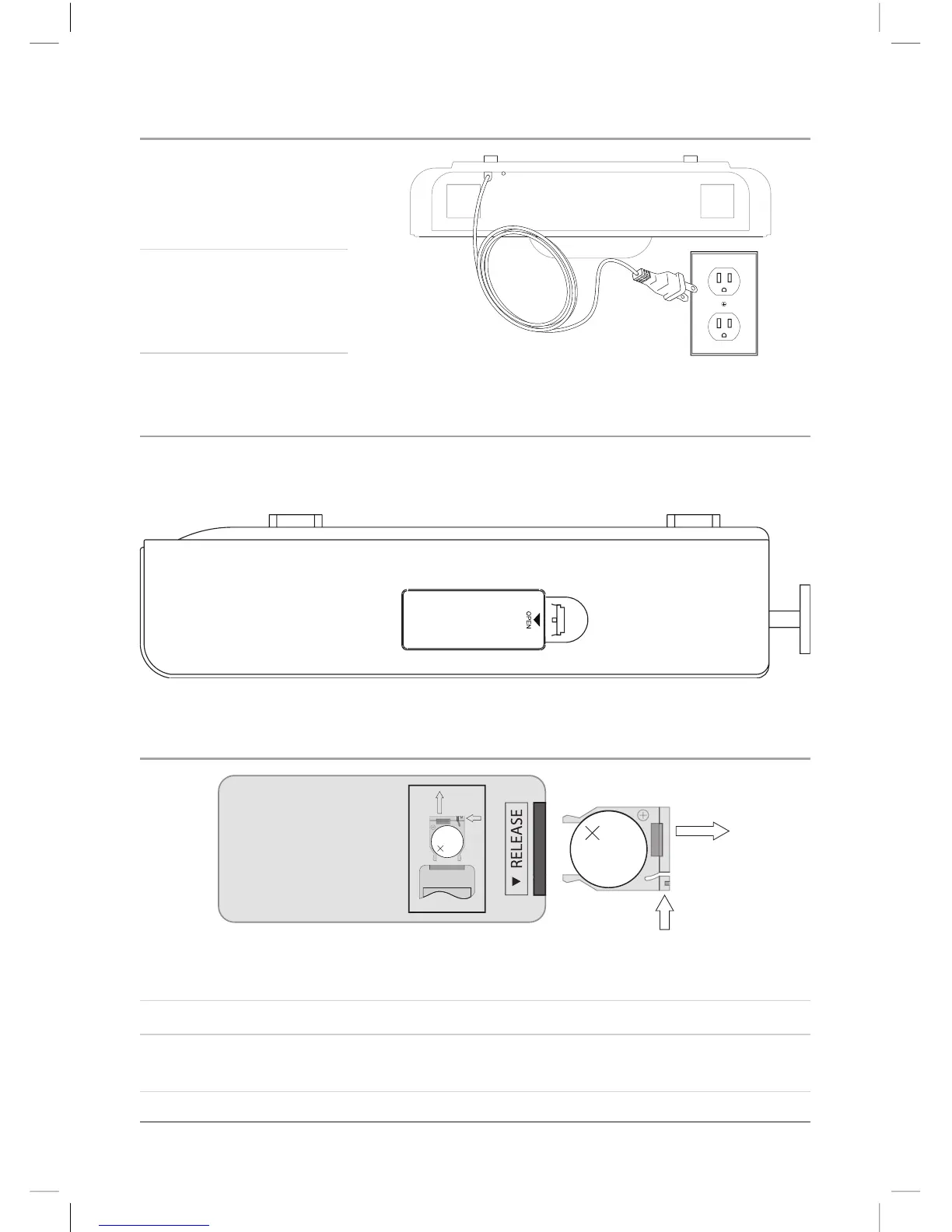
1. To power the unit,
simply connect it to
an AC outlet using the
attached AC cord.
2. The plastic extensions
on the back of the unit
provide a holder for
excess cord.
120V AC/ 60Hz
Battery Backup
Use 3 AAA Batteries to serve as a backup power source for the clock only. (Batteries
not included)
Changing the Remote Battery
LITHIUM BATTERY
CR 2025
3V
CR2025
PUSH
OPEN
LITHIUM BATTERY
CR 2025
3V
CR2025
PUSH
OPEN
1. Push the Release Button and pull out the Battery Compartment to access the
battery.
2. Replace the old battery with an equivalent new battery (CR2025).
3. The positive side of the battery, as indicated by a plus symbol, must be facing up
when inserted into the remote.



 To Next Page