Powering the Unit
5
OPEN
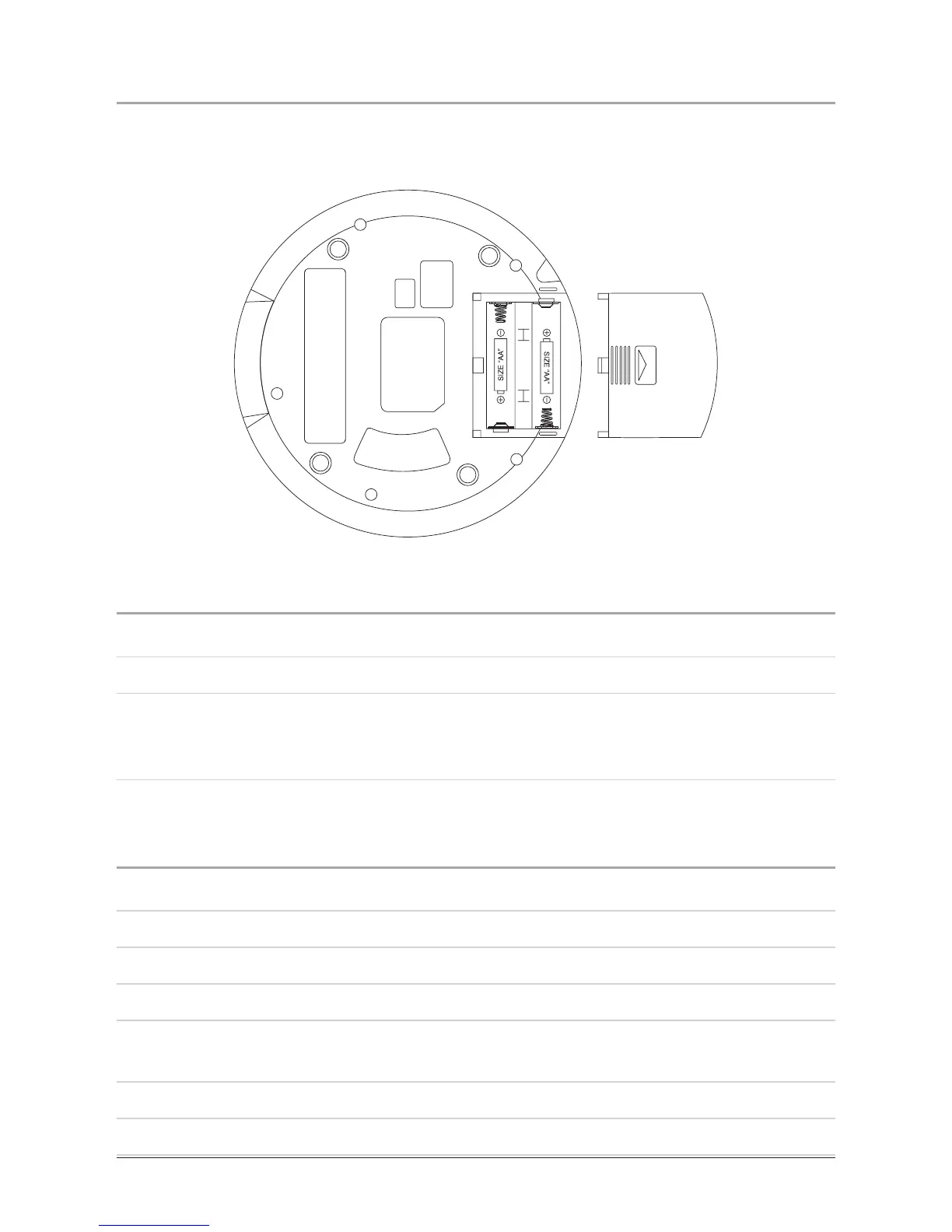
The unit requires 2 AA batteries, not included, or an AC adapter (120V / 60Hz), not
included, to power on.
Playing a CD
1. Slide the Open Switch over to open the CD door.
2. Load a CD into the unit.
3. After the CD door is closed, the CD should begin playing immediately. If the CD
does not begin playing, press the Play/Pause Button to begin playing a loaded
CD.
Programming a CD
1. Slide the Open Switch over to open the CD door.
2. Load a CD into the unit.
3. After the CD is loaded, press the Program Button.
4. Press the Skip/Search Buttons to adjust the track number.
5. Press the Program Button to set the selected track number as the rst
programmed track. Repeat steps 4 and 5 for all subsequent CD tracks.
Up to 20 tracks can be programmed at one time.
6. Press the Play/Pause Button to begin playing the programmed CD tracks.


 To Next Page