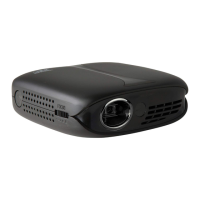
FAQs PJ308VP
HOW CAN I USE THE BLUETOOTH FEATURE?
• This unit has a Bluetooth transmitter. It can transmit audio to an external Bluetooth speaker.
• The PJ308 has built-in full range speakers. However, you can also connect external speakers for
more sound options.
Bluetooth - Pairing to Wireless Speakers or a Sound Bar
NOTE: Bluetooth is OFF by default when the projector first powers ON. Bluetooth can be turned ON or
OFF from the OPTIONS Menu.
1. Enable Bluetooth on the Bluetooth receiver (Bluetooth speaker, Bluetooth soundbar etc.) that
you would like to connect.
2. Power on the projector and make sure the projector's Bluetooth is ON (see note above). The
projector will begin searching for nearby Bluetooth devices to connect to and will automatically
initiate pairing. Note: To eliminate confusion, disable Bluetooth on all receivers to which you
do not wish to connect.
3. When successfully paired, the Bluetooth receiver should indicate it is connected, usually with a
chime or tone. Check the user manual on your Bluetooth receiver for more information.
4. When successfully connected, the projector will display the Bluetooth receiver's (your speaker
or sound bar) name on the top right portion of the Main Menu screen, and sound played from
the projector will be heard through the Bluetooth receiver.
After initial pairing, the projector and the Bluetooth speakers will stay paired unless unpaired manually
by the user or erased due to a reset of either device. If this occurs or you find either unit is unable to
connect, repeat the above steps.
CAN I CONNECT A HEADPHONE OR A SPEAKER TO THIS UNIT VIA AUX CABLE?
Yes, this unit has a Headphone jack (audio out). You can use the included 3.5mm to RCA stereo cable, or
your own 3.5mm Aux cable to connect an external speaker or a headphone to the Headphone Jack on
the projector. The projector will automatically detect the connection and the audio will be heard from
the connected speaker, headphone etc.
Note: The yellow video plug on the included 3.5mm to RCA stereo cable will not be needed in this setup
and will not need to be connected.
The PJ308 has built-in full range speakers. However, you can also connect external speakers or
headphones/earbuds for more sound options.

 Need help?

 To Next Page
 General