5
OPEN
Unboxing Your 13.3” LED HDTV + DVD
Some pixels may be visible on the screen, appearing
as tiny red, green, blue or black spots. This is normal
and is not a defect on the TV nor does it negatively
aect the performance.
Includes Note:
Setup
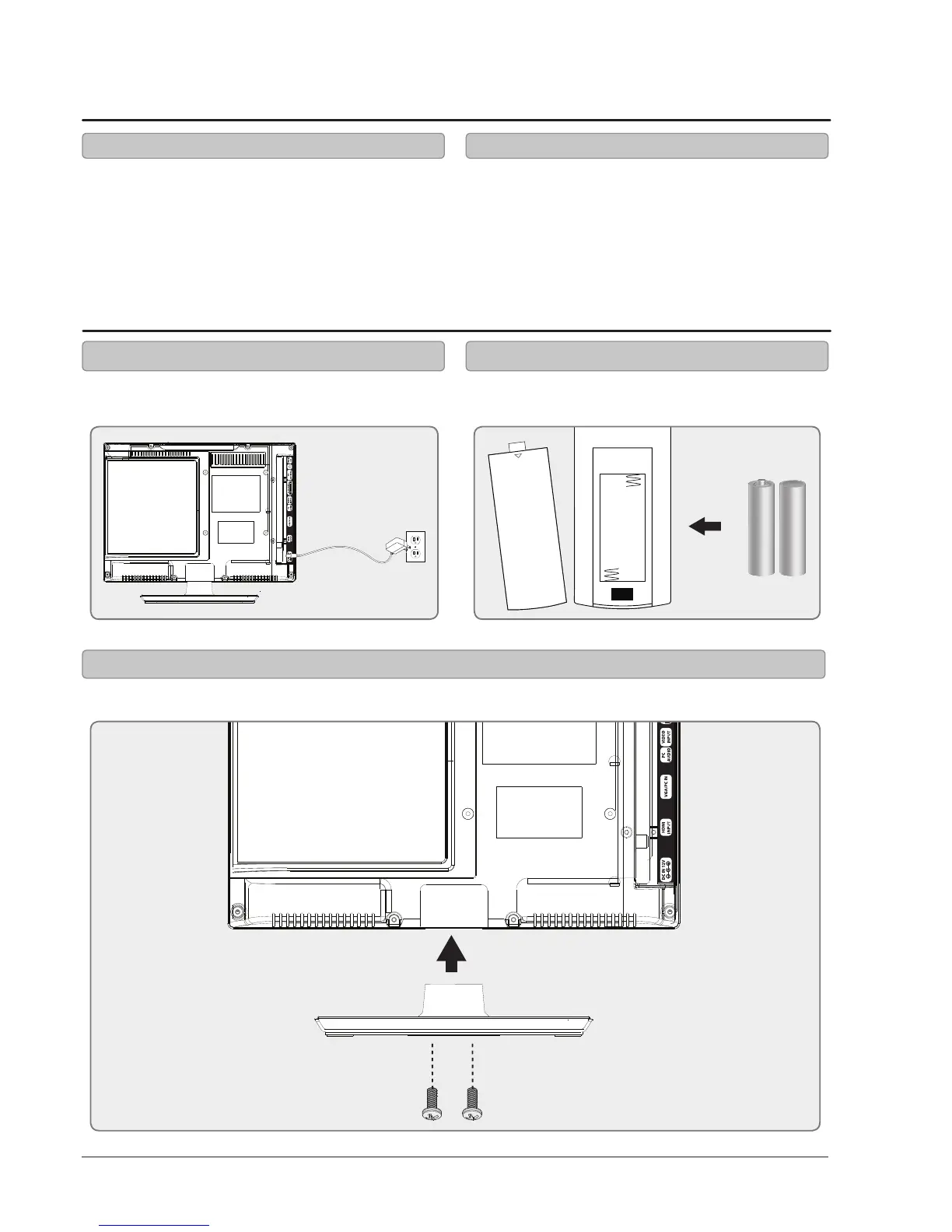
Requires 2, AAA-size, batteries (included)
Power Remote
Connecting the Stand
Use a phillips-head screwdriver to tighten or remove the screws by hand. Using a power drill could damage the TV stand.
• Remote control and 2 AAA batteries
• Removable stand
• AC/DC Power Supply
Plug the small end of the power cord into the TV
and the large end into a standard wall outlet.



 To Next Page