4
TDE2282B
• 21.5” LED display
• Display supports: 720p, 1080i,
• 1080p
• 1920 x 1080 native resolution
• DVD player: DVD, DVD±R/RW
• CD player: CD, CD-R/RW, JPEG
• CD
• Aspect ratio: 16:9
• Brightness: 250cd/m²
• Contrast: 1000:1
• Max color: 16.7 million
• Response time: <5ms
• Viewing angle: 160°H, 160°V
• ATSC/NTSC tuner
• V-chip
• Slot-load disc player
• Electronic program guide
• Sleep timer
• Closed captioning
• Digital volume control
• Built-in stereo speakers
• HDMI input
• Component video input
• VGA PC video input
• Composite video input
• USB port: supports JPEG, MP3
le formats
• SD/MMC/MS memory card
reader: supports JPEG, MP3
• Optical digital audio output
• RCA stereo audio inputs
• 3.5mm PC audio input
• RF input
• Stereo headphone jack
• USB service port: for rmware
updates only
• Full-function remote
• Wall mountable
• Dual Voltage: 220V/50Hz,
120V/60Hz
• DC power input: requires
an AC/DC power adapter
(included)
• Remote control: requires 2
AAA batteries (included)
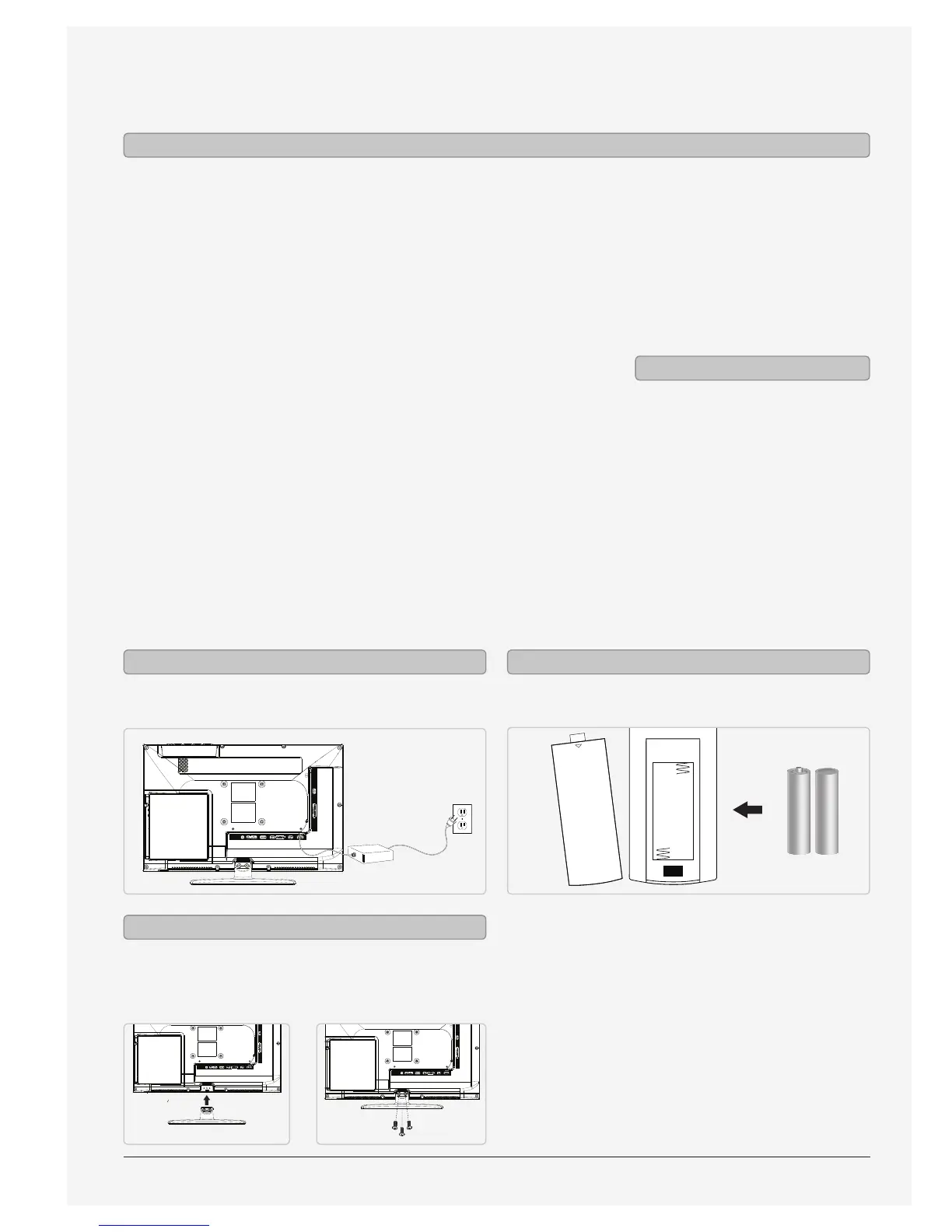
• Removable stand: 4 screws
• AC/DC power adapter
Features
Includes
Setup
Requires 2 AAA batteries (included)
OPEN
Power Remote
Use a philips-head screwdriver to tighten or remove
the screws. Using an power drill could damage the
TV stand.
Attaching the Stand
AC power: requires an AC/DC power adapter
(included).


 To Next Page