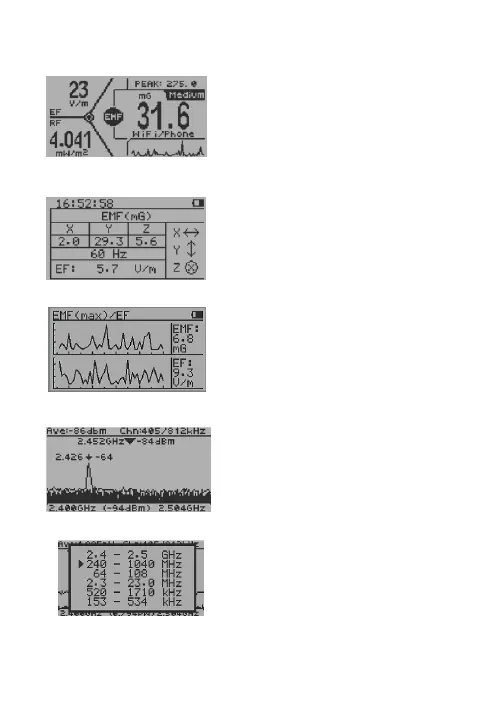
Horizontal All In One Mode
Table Mode
EMF Graphs Mode
RF Spectrum Analyzer Mode
Bands selection
4
In All in one mode, press S3 key to
change the main measurement type
among:
EMF in mG (milliGauss)
EF in V/m (Volts per meter)
RF in mW/m2
S1 key: select display mode
S2 key: select RF unit
S4 key: enter Main menu
There is a table mode on EMF-
360+V2/EMF-380V2/EMF-390 models.
Press S2, S3 key act to select Table
Mode between: EMF/EF table mode
and RF table mode
Press S2, S3 to select Graphs Mode
between:
EMF/EF and XYZ-EMF
(X, Y, Z components of EMF)
Press S2, S3 key to move the user
cursor
Press and hold S3 key for 1 second to
zoom. To exit zoom mode, press &
hold S2 key for 1 second to zoom out.
In RF Spectrum Analyzer mode, press
and hold key S2 for 1 second, select
different RF frequency bands.
(for EMF-380/390 Only)



 To Next Page