2
WELCOME
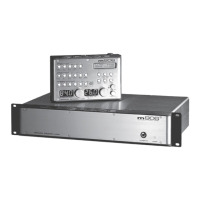
Thanks for purchasing the Grace Design m904 high delity monitoring system. We build all our products to be
completely reliable and easy to use, so you can concentrate on producing great sounding audio, not struggling
with complicated equipment or dicult to use product manuals.
While the m904 has been designed to be straightforward to use, we do suggest that you spend a little time
familiarizing yourself with the features and operational functions that are contained in this manual. Doing this
now will make your experience with the m904 more enjoyable.
In the event that you encounter any technical or operational diculties with this or any Grace Design product,
please feel free to contact us at 303-443-7454. Our oce hours are from 9 to 5, Monday through Friday, MST. Or
you can email your questions to: info@gracedesign.com
Also, please remember to visit our website www.gracedesign.com for the latest Grace Design product informa-
tion, owner’s manuals and technical documents.
Grace Design has been building audiophile quality products for the recording industry for over a decade. The
technology developed for the m904, and all of our products, has evolved through a process of extensive listen-
ing, eld testing and careful renement.
Your new m904 system represents a combination of absolutely pristine audio performance, robust mechanical
construction and bombproof reliability.
Regardless of what type of work you do, your m904 will faithfully serve as an invisible link between your source
audio and your speaker systems. We sincerely hope our products help you achieve a new level of excellence in
your work! -The Grace Design Team
TABLE OF CONTENTS
IMPORTANT SAFETY INFORMATION 3
SAFETY MARKING SYMBOLS 3
SERVICE INFORMATION 3
m904 KEY FEATURES 4
m904 FRONTPANEL 4
m904b FRONTPANEL 4
m904/ m904b REARPANEL 6
m904b REMOTE CONTROL UNIT 7
UNPACKING INSTALLING YOUR m904 SYSTEM 9
CONNECTING THE m904 9
SYSTEM CONNECTIONS 10
OPERATING THE m904 12
ADVANCED FEATURES: ACCESSING THE CAL MODES 17
ADDITIONAL m904B OPERATIONAL INSTRUCTIONS 25
CABLE AND CONNECTOR WIRING DIAGRAMS 26
m904 BLOCK DIAGRAM 27
SPECIFICATIONS 28
WARRANTY INFORMATION 30


 To Next Page