Repair Manual MSG 90.6PG Commercial Vehicles, Omnibuses – November 2017
Material no. 1153450_c
3.39.3 Supporting structure – removal and installation (bus seat)
Page 3 of 3
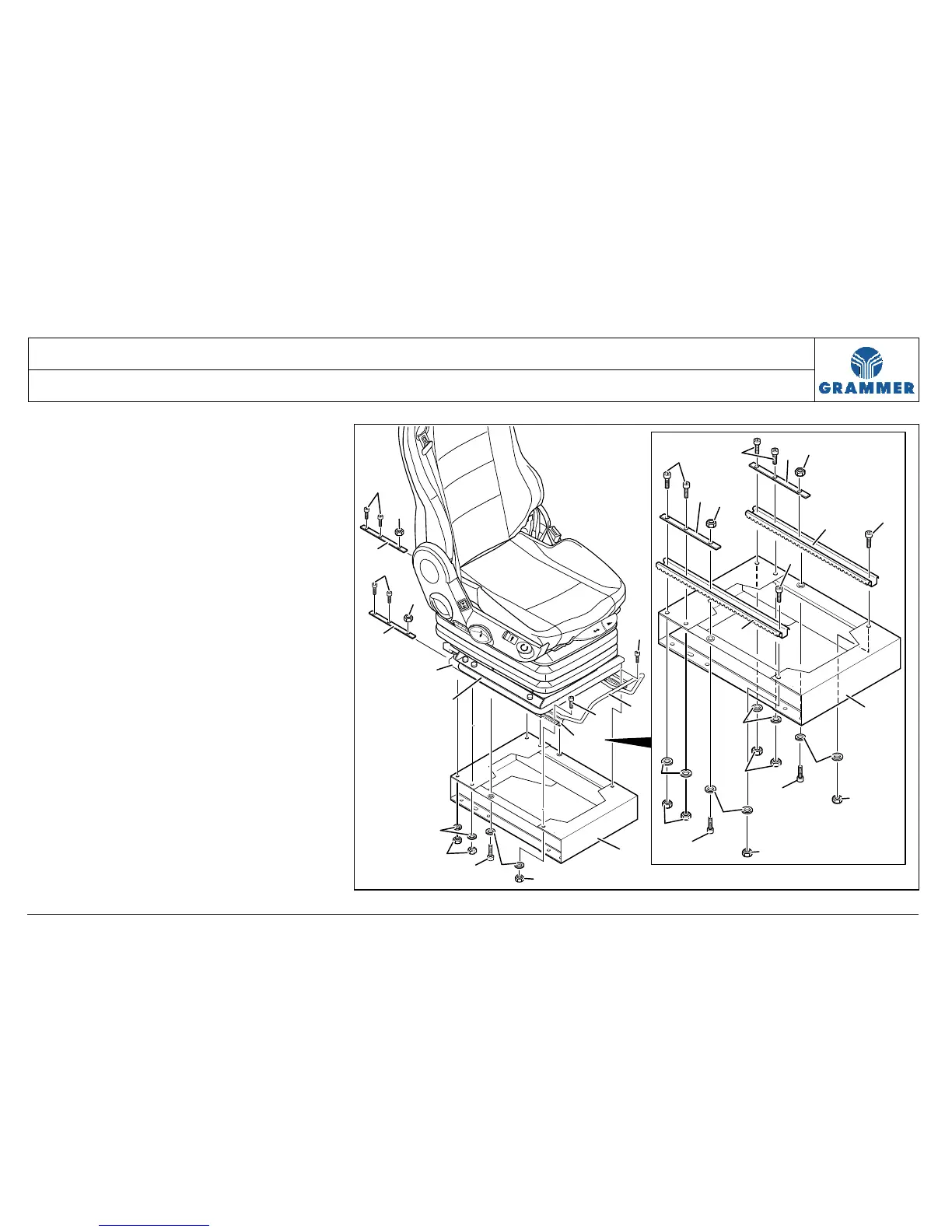
5 Unscrew four micro-encapsulated cap
screws (6) at the rear and remove
hexagon nuts (7), washers (8) and the
plates with mounting holes (5).
6 Remove the supporting structure (1)
at the locking rail (10) of the seat
fore/aft adjustment (4).
7 Re-install the components in the
reverse order of their removal.
1
3
8
8
5
4
5
7
9
2
1
3
6
10
7
8
8
7
7
10
10
7
1
7
9
9
8
8
7
7
5
5
7
7
6
6
6
6
6
6
6
2045


 To Next Page