Repair Manual MSG 90.6PG Commercial Vehicles, Omnibuses – November 2017
Material no. 1153450_c
3.54 Cable harness for microphone – removal and installation
(seat with climate control system)
Page 5 of 5
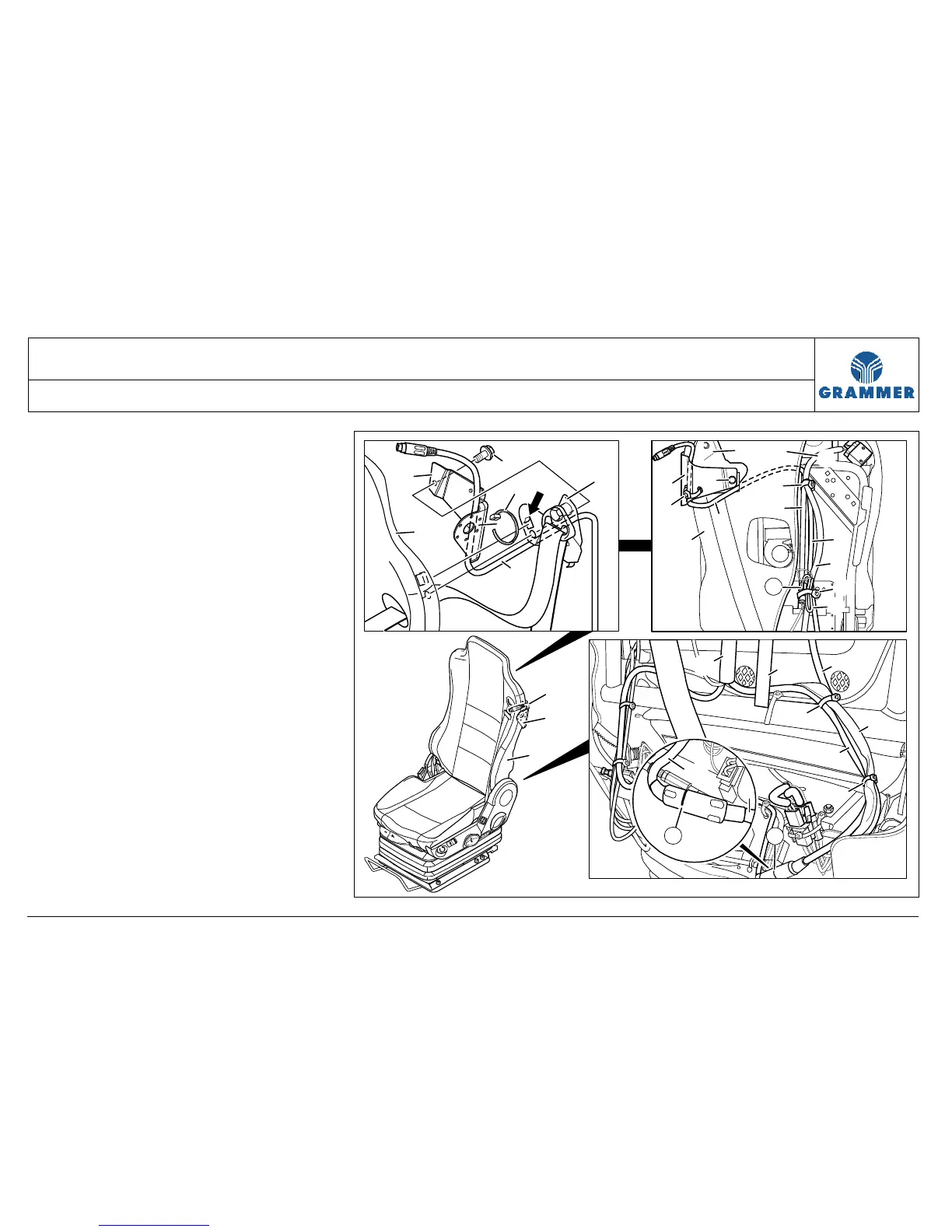
12 Mark the point where the
microphone cable (1) is fastened at
the microphone support (2) with
cable tie (5) and remove the cable
tie (5).
Installation note:
The locking head of the cable tie (5)
must be located inside between
microphone support (2) and
backrest (3).
13 Pull the microphone cable (1) out of
the backrest cover (7) remove it.
14 Re-install the components in the
reverse order of their removal.
1
4
5
2
3
6
13
14
1
9
10
13
7
6
8
10
1
12
11
10
M
9
1
4
2
3
1
2
3
O
O
15
1
5
2551


 To Next Page