Need help?
Do you have a question about the GRAND VIDEOKE SYMPHONY 3 PRO and is the answer not in the manual?
Explains how to find, select, and play songs using various methods.
Guides on adjusting music, microphone, echo, key, tempo, and melody levels.
Describes how to skip parts of a song like prelude, interlude, or verse.
Instructions on adding, removing, and searching for favorite songs.
Details methods for recording songs and searching recorded songs.
Explains song repeat options and the Perfect Pitch scoring feature.
Explains the function of each key on the alphanumeric keypad and remote.
Describes various icons and symbols used in the song list and interface.
Provides instructions on cleaning, handling, and maintaining the device.
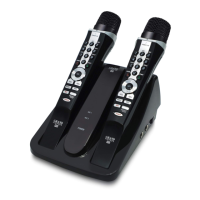
Identifies and explains the components of the main unit and microphone.
Details the functions and layout of the remote control buttons.
Instructions on how to change batteries in the microphone.
Guides on connecting the main unit to an HDTV via HD output.
Guides on connecting the main unit to a standard TV using RCA cables.
Instructions for powering the main unit and microphones on and off.
Explains how to search for songs by title/artist and reserve them for playback.
Details on playing, pausing, stopping songs, and adjusting volumes.
Guidance on adjusting song key, tempo, melody, and skipping song sections.
Information on using the search and favorite song lists.
Explains recording, repeat options, Perfect Pitch, and song format menus.
Details how to configure system settings like lyrics alignment and scoring.
Instructions on setting photos/videos as backgrounds from USB or the player.
 General
| Type | Karaoke System |
|---|---|
| Model | GRAND VIDEOKE SYMPHONY 3 PRO |
| Display | LCD |
| Microphones | 2 |
| Microphone Inputs | 2 |
| Connectivity | HDMI, USB |
| Audio Output | Stereo |
| Features | Song Recording |
| Supported Formats | MP3, AVI |

 To Next Page