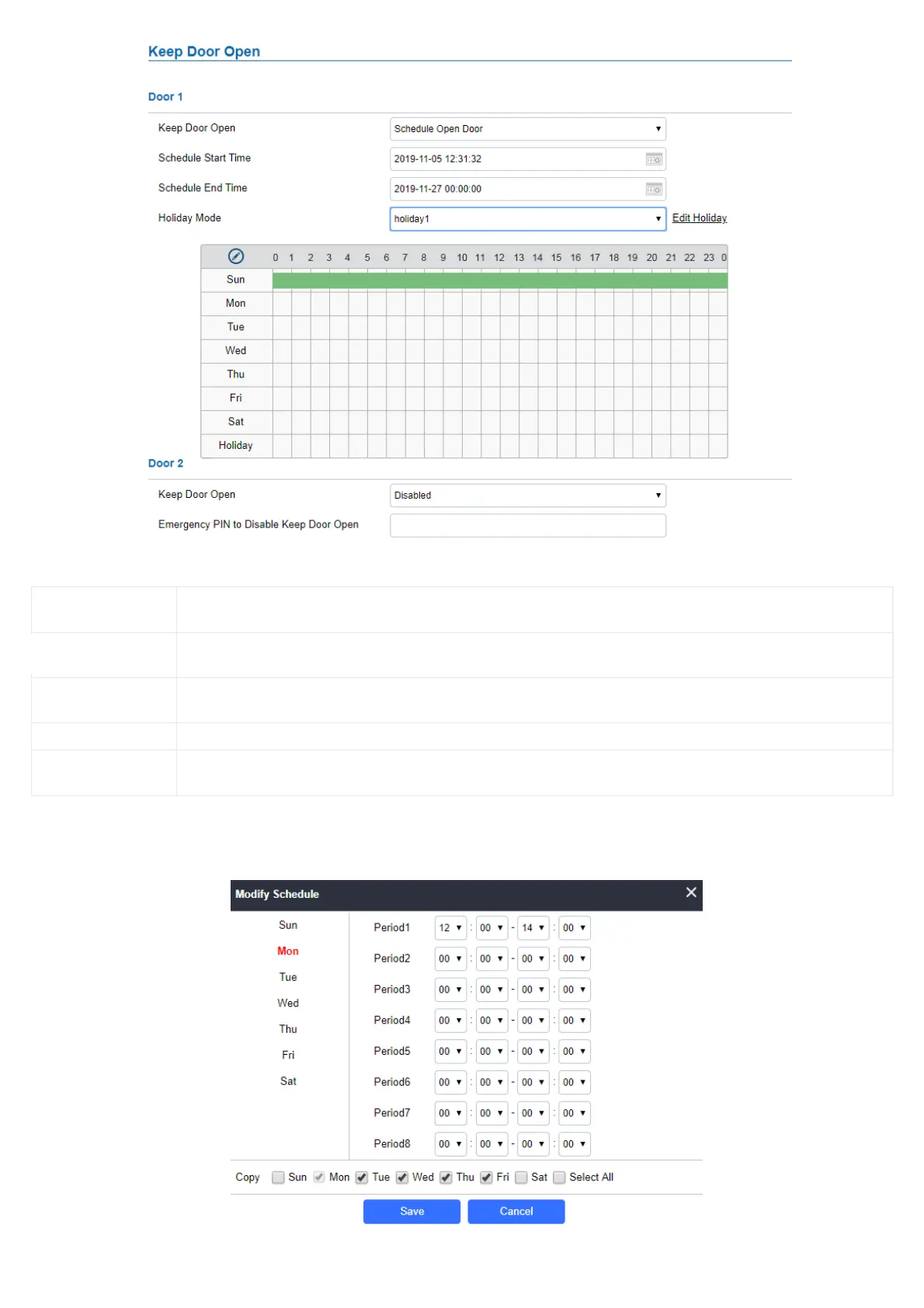
Keep Door Open Select the Keep Door Open mode (Schedule Open Door on this case).
Schedule Start Time Selects the start time when the door will be opened.
Schedule End Time Selects the end time when the door will be locked.
Schedule Selects the preconfigured schedule from the list of schedules.
Holiday Mode Selects the holiday schedule to be included into the Keep Door Open schedule (Supported for Door 1 and Door 2).
Schedule Keep Door Open


 To Next Page
 Loading...






